

How do I see my course history?(Canvas)
Last updated: Oct 26, 2026
18
views

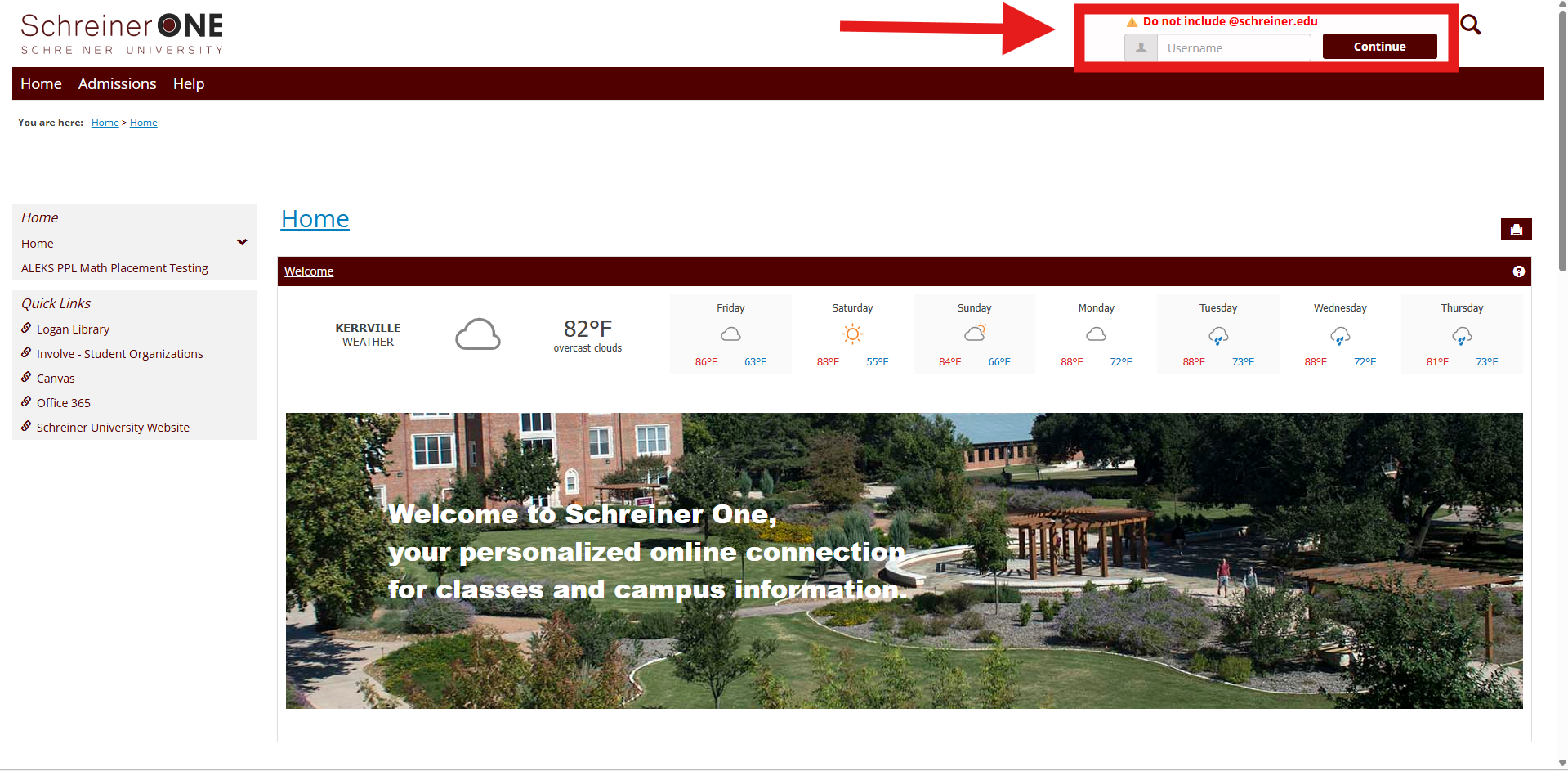
First, log into your Schreiner one account with only your username before "@SCHREINER.EDU"
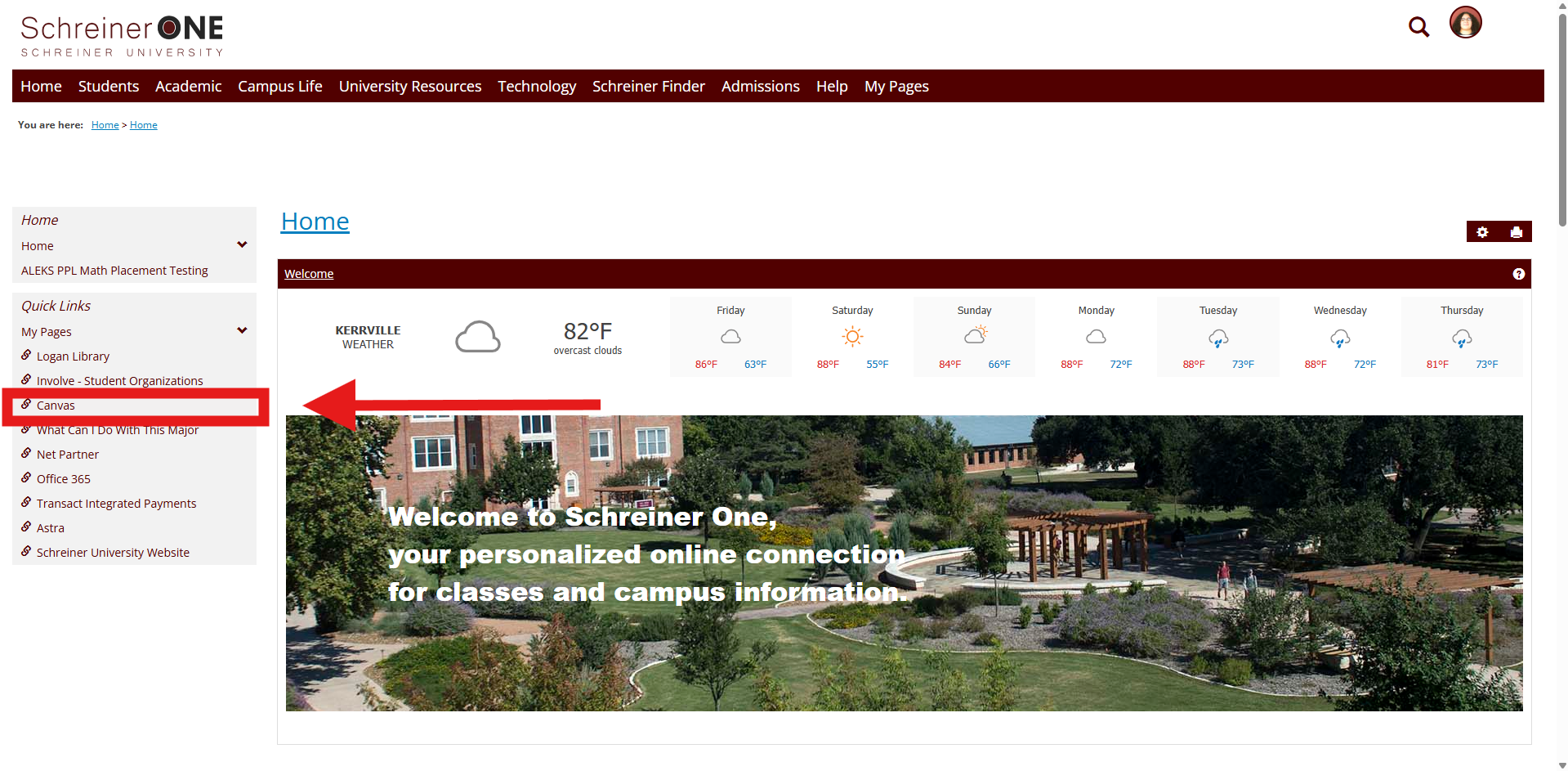
Now that you logged into Schreiner One, on the left of the home tab press Canvas.
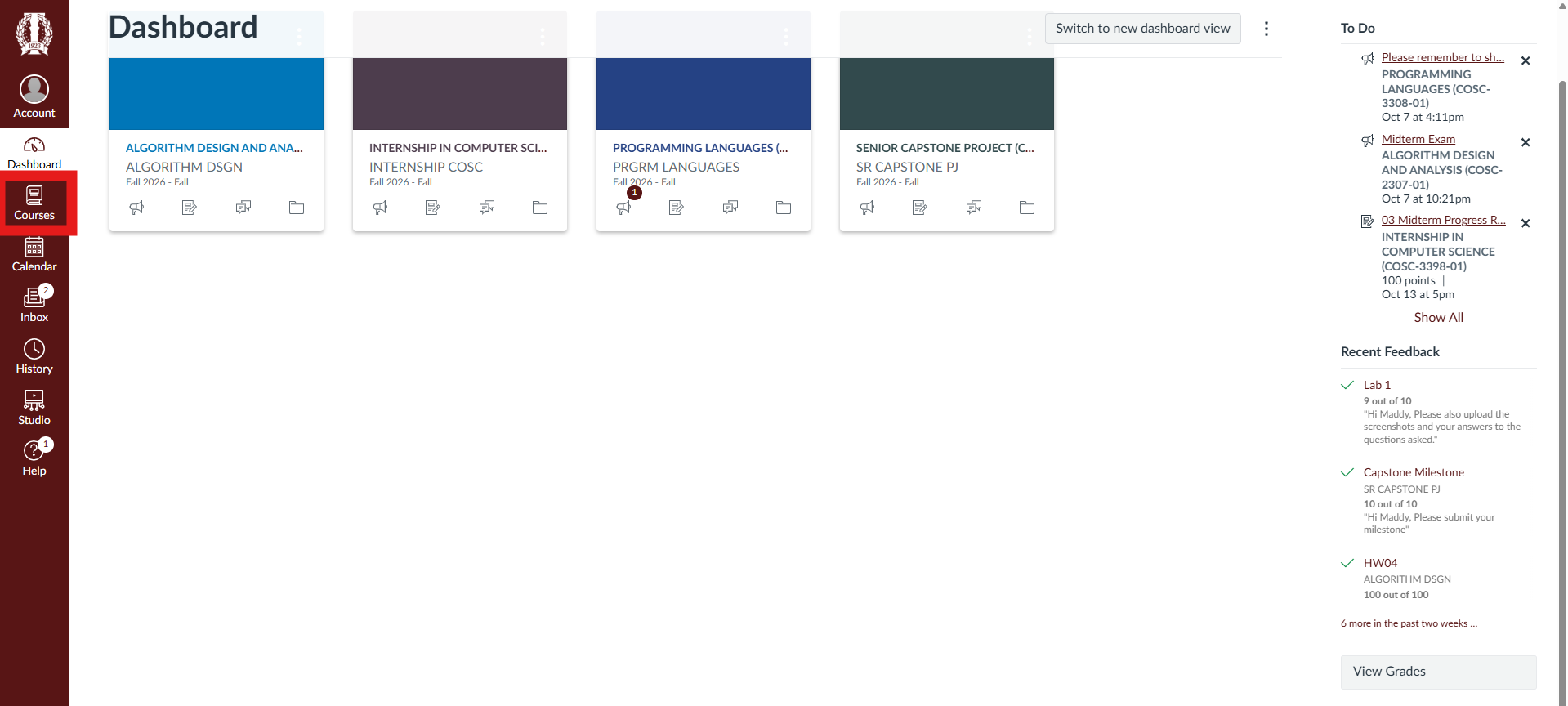
This is your dashboard, where your current classes are shown. Press the Course Tab.
On the top of the tab, you should see " All Courses". Press " All Courses ".
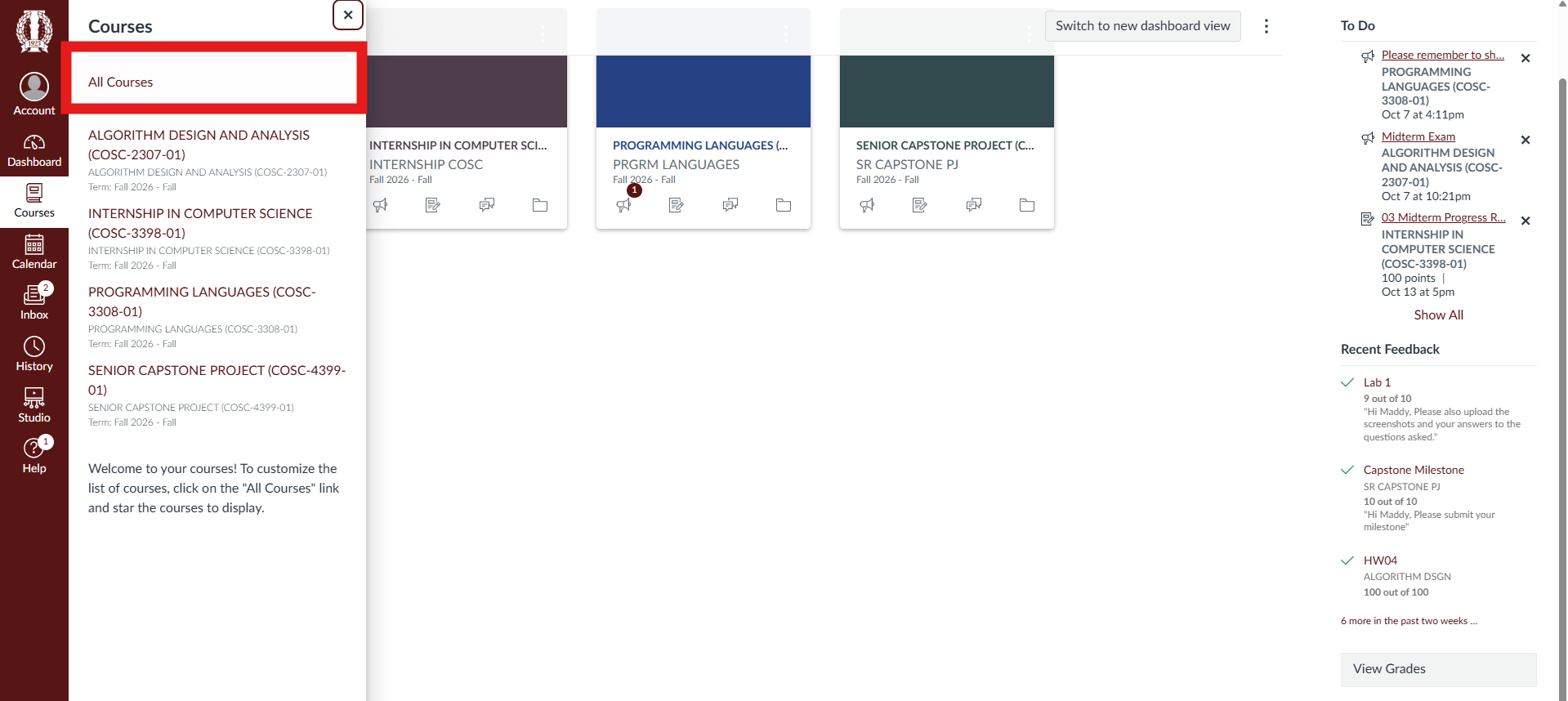
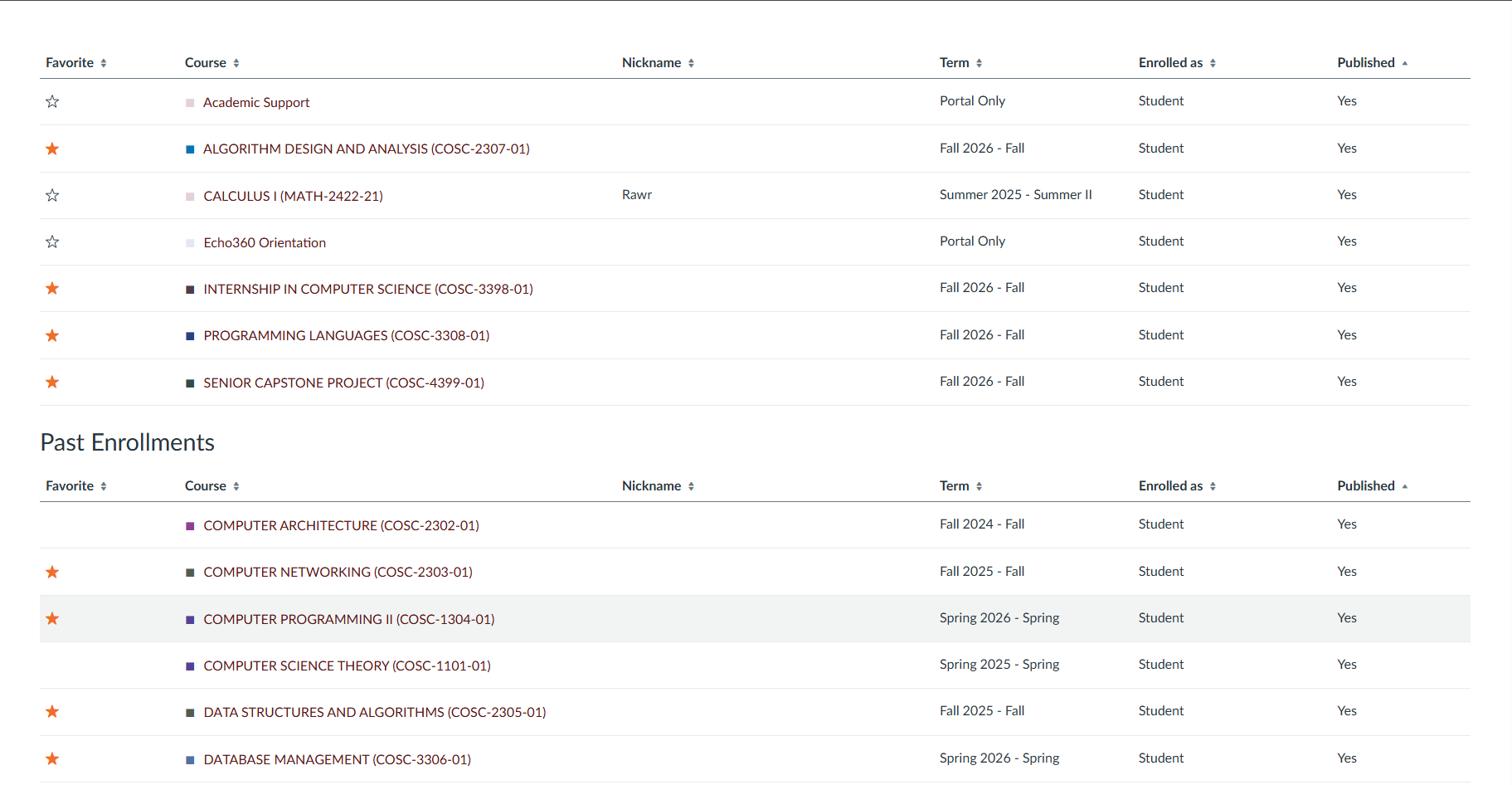
Viola, your course history should show.
NEED HELP?
Contact the SERVICE DESK @:

