

Schreiner One: How do I register for classes/add or drop classes
Last updated: Oct 02, 2026
105
views

1. Navigate to schreiner one.

2. Log in with your schreiner email.

Note: Do not include the @schreiner.edu.
3. After logging in, Navigate to the academic tab.
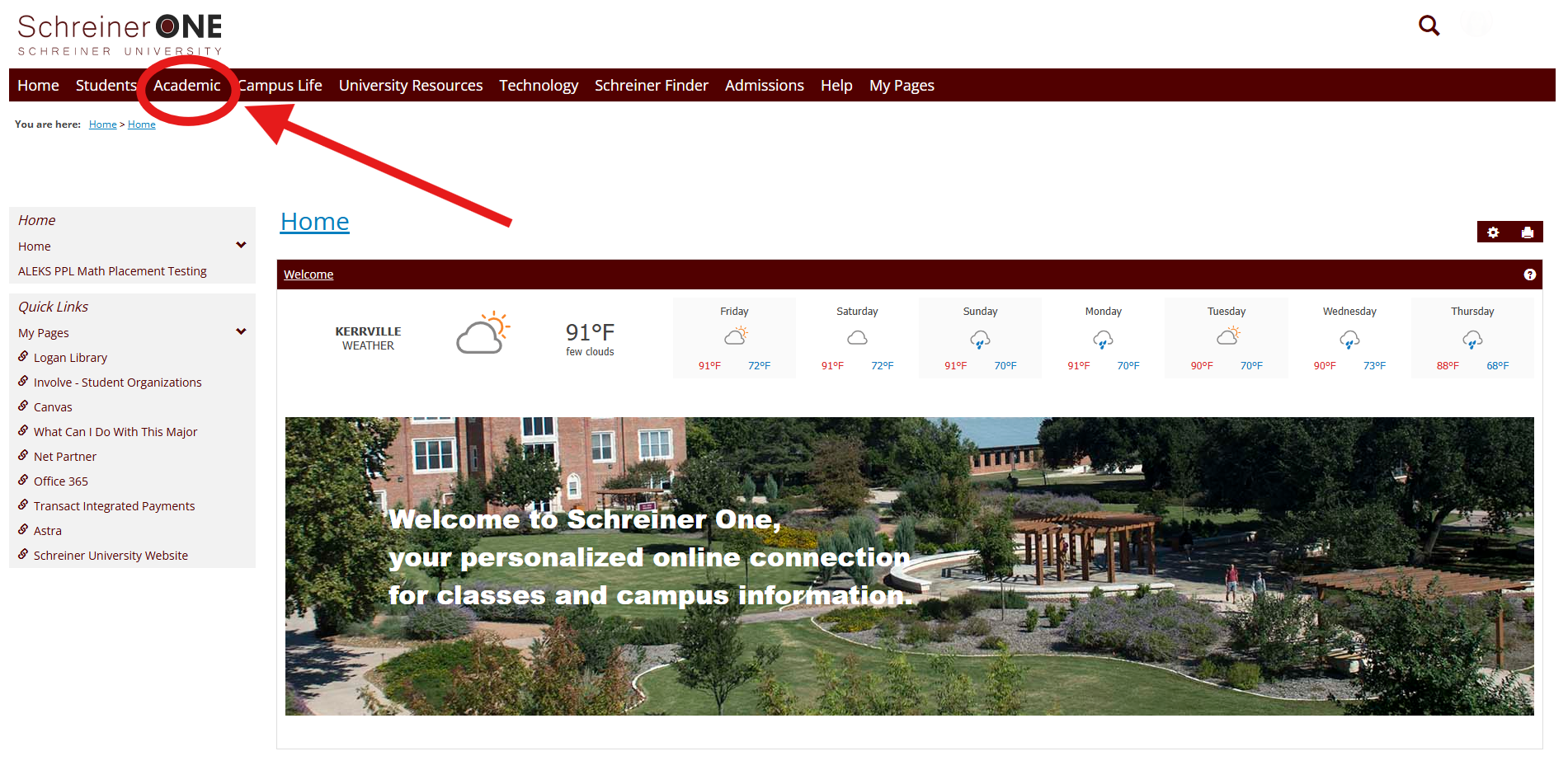
4. Scroll down till you see Add/Drop Courses.
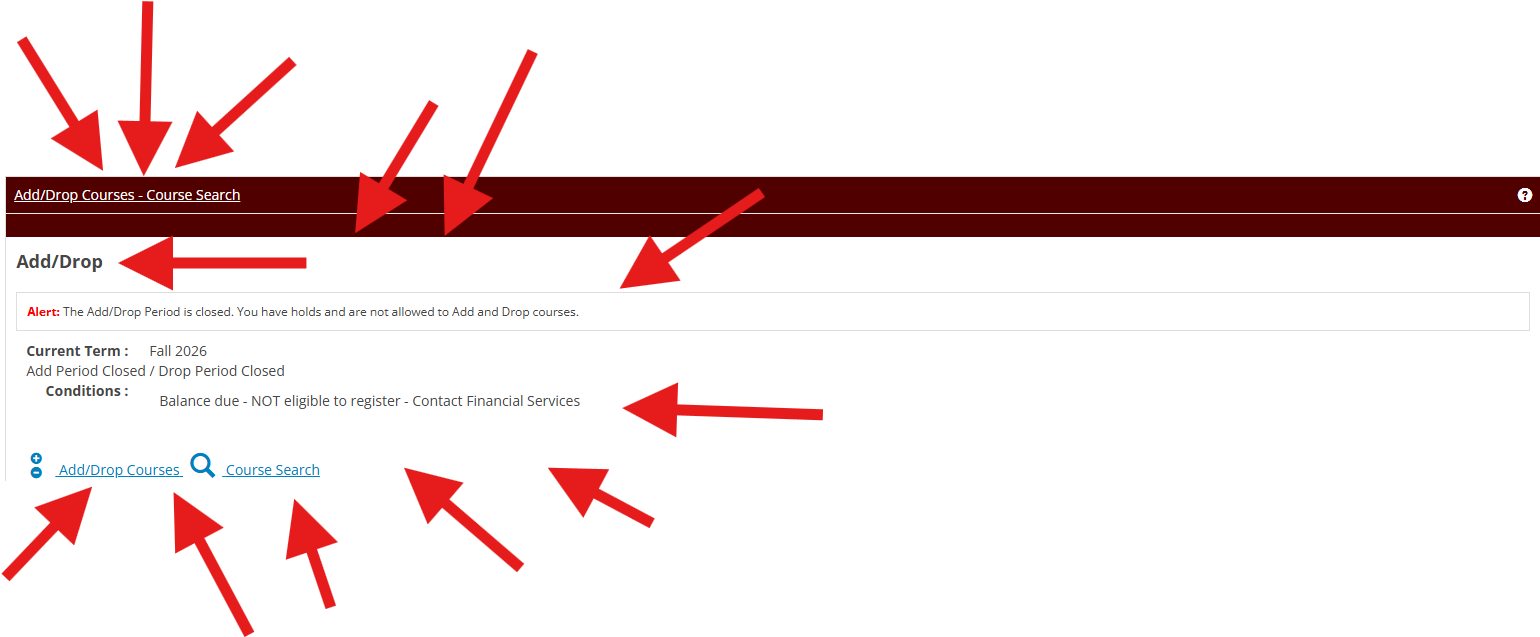
5. Click on Add/Drop.
6. To add a course, enter the course code or click course search and find the class title.
7. To drop an existing course, Click the drop boxes next to any existing course you've enrolled in.
Note: You wont be able to add a course if your balance hasn't been cleared by the financial office.
Note: You wont be able to add or drop a course after the add/drop period has closed. If you still wish to add/drop after the period has closed, please contact the Registrar or visit their office on the second floor of the CCAC.

