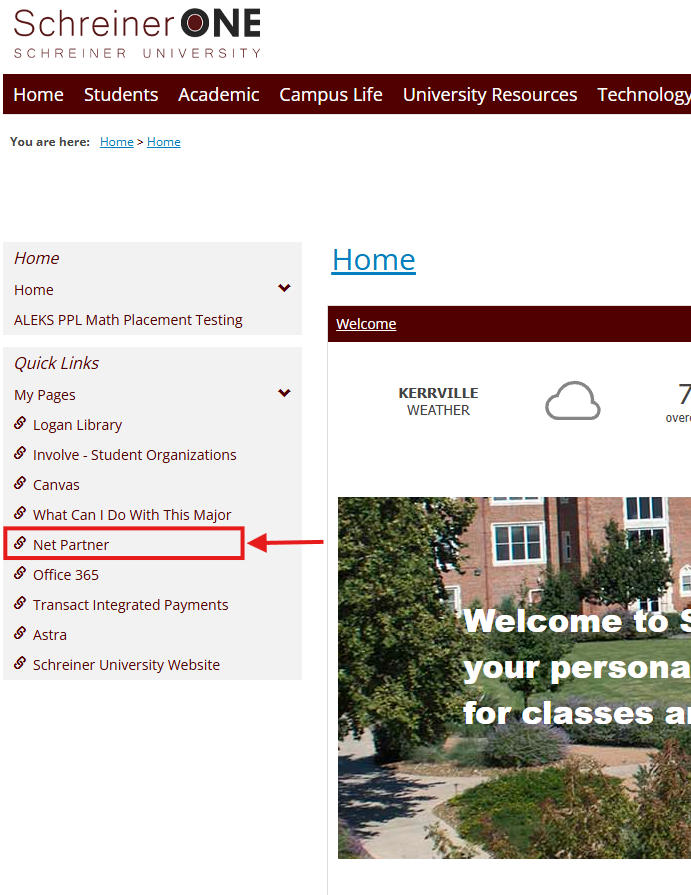
1.) Log in to Schreiner One with your Student Account.

2.) Go to the "NET Partner" Link on the left side of the page. For the mobile version, press the arrow button in the bottom-left corner of the screen and find the NET Partner link.
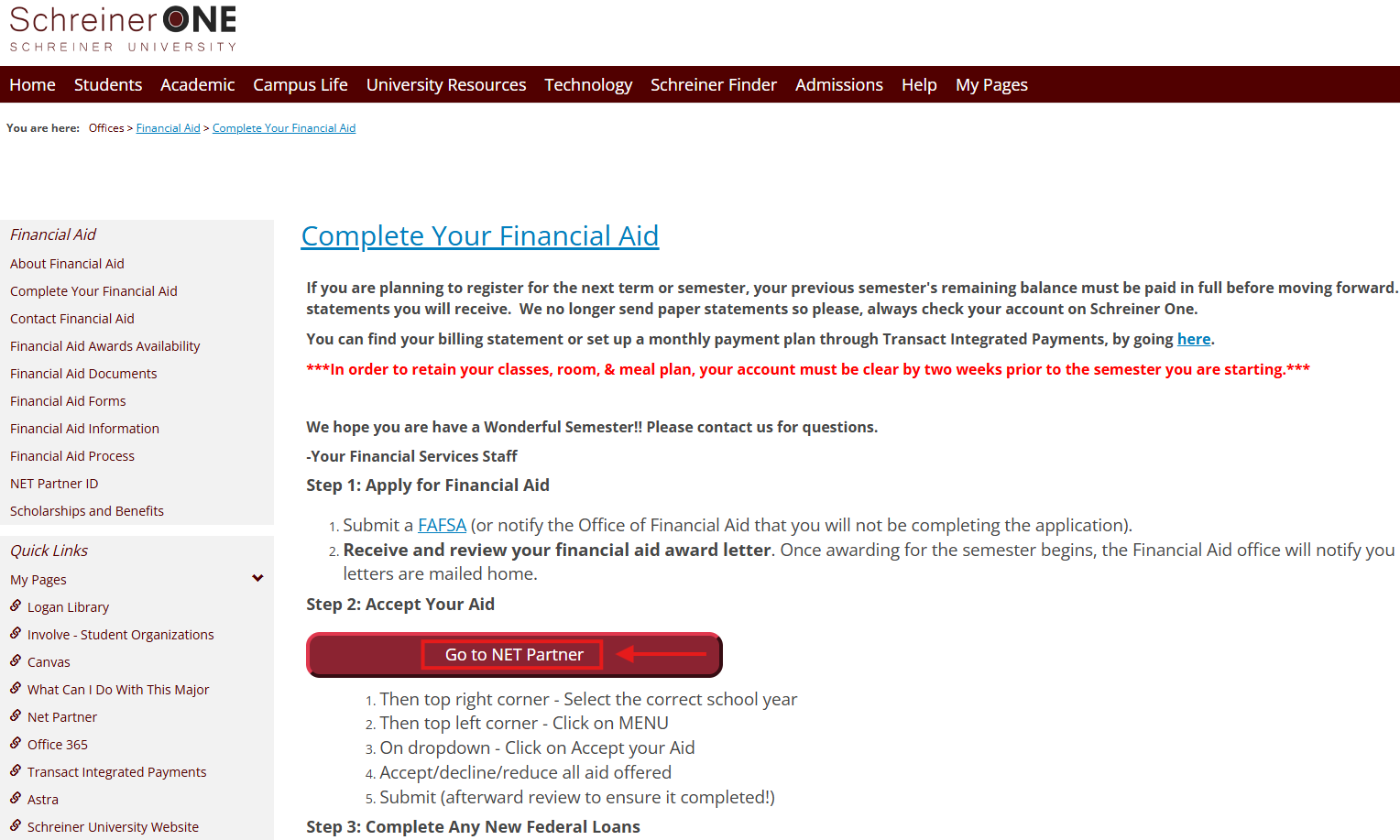
3.) Click on the "NET Partner" Link. (Should be a big Maroon button shown here.)
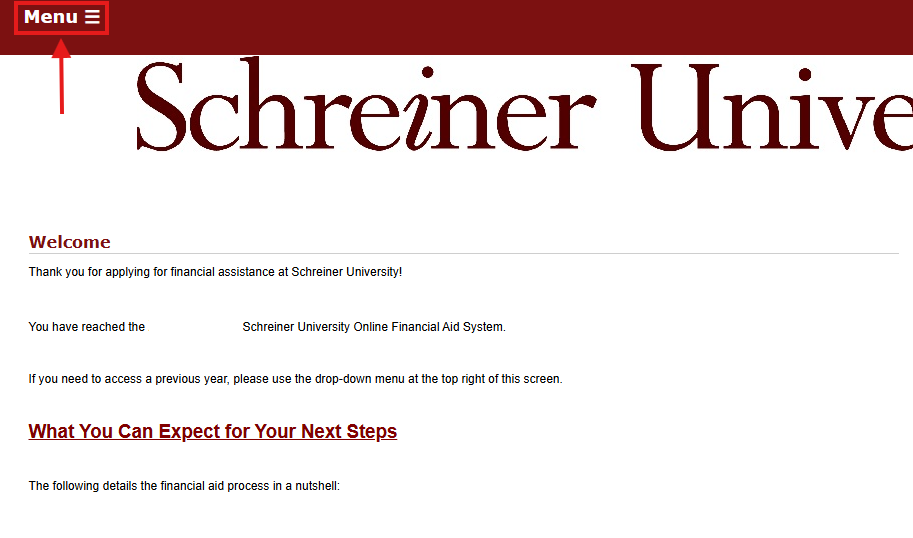
4.) Once you're on that page, find the Menu button in the top-left corner of the page and click there.
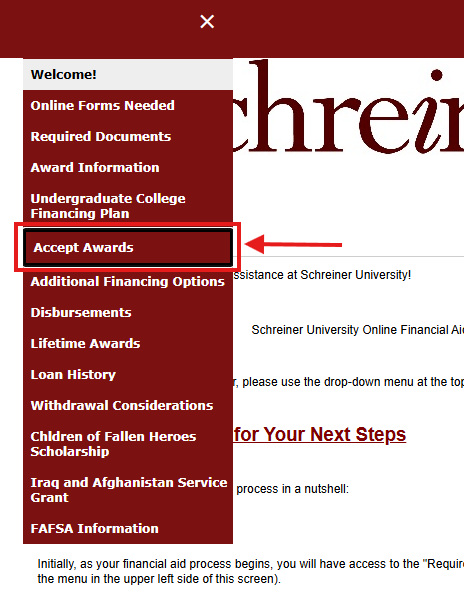
5.) Click Accept Awards.
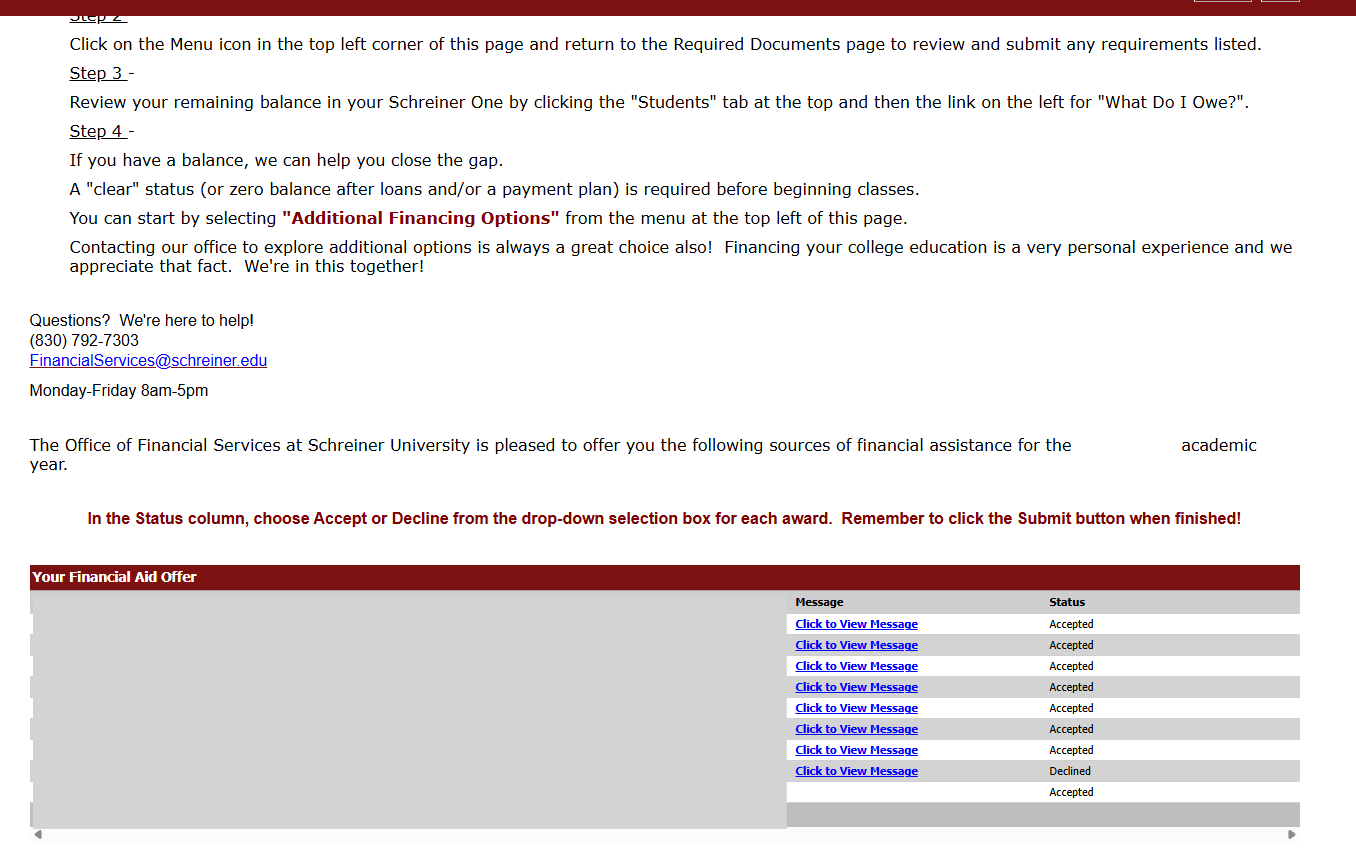
6.) From there, scroll down until you find the "Financial Aid Offer" Section at the bottom of the page. On the right-hand side, in the "Status" Section, you can click on the drop-down arrow to either accept or decline your awards. If you have any questions, you can contact us by email at [email protected]