


To declare a major or change an existing major. You must contact your advisor and plan a meeting.
For the rest of this guide, I will show you how to find out who your advisor is.
1. Open Schreiner one.
2. Log in with your Schreiner email.
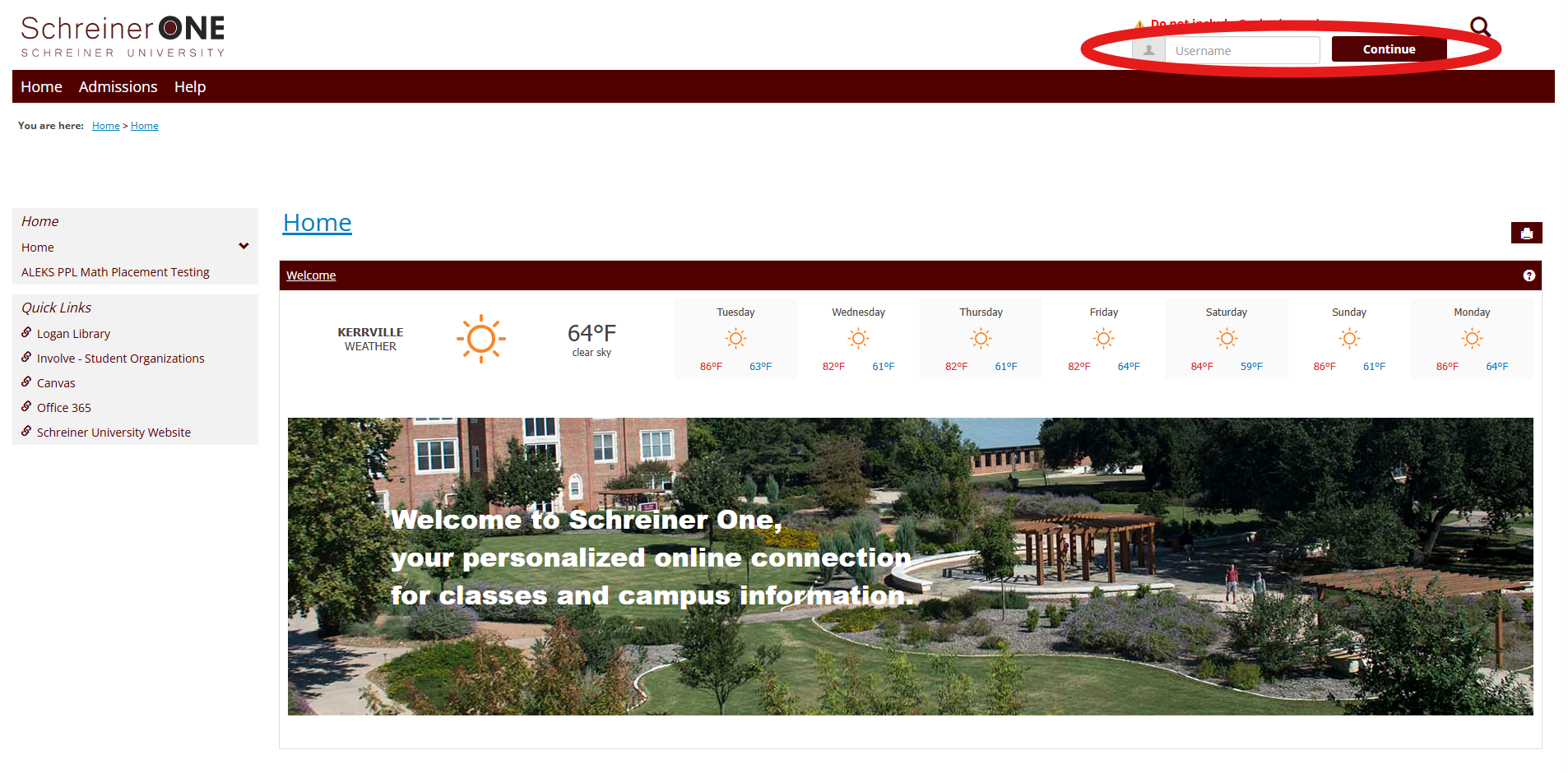
Note: do not include @schreiner.edu
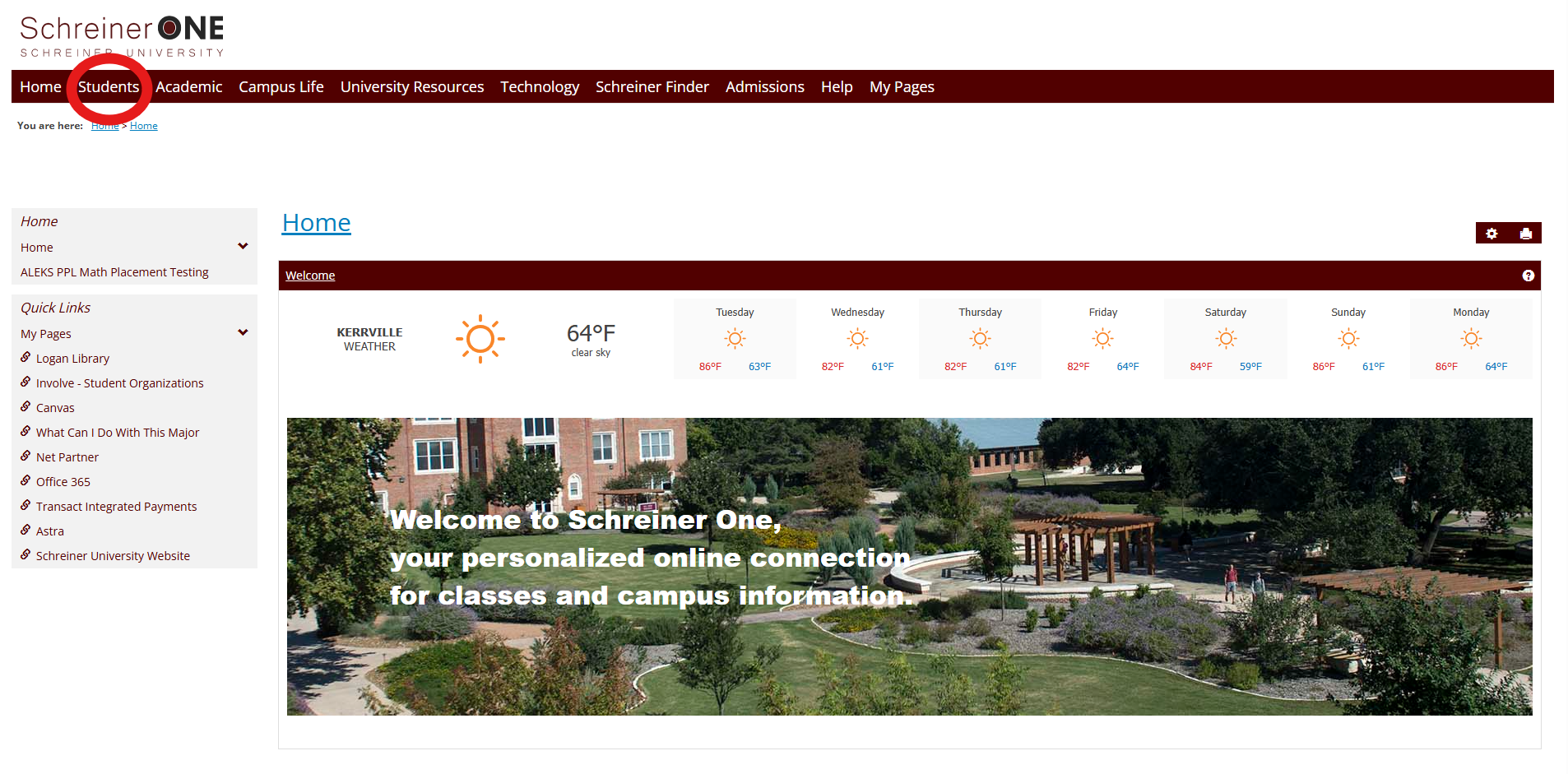
3.Navigate to the students tab
5. Find the section labeled "My Academic Information"
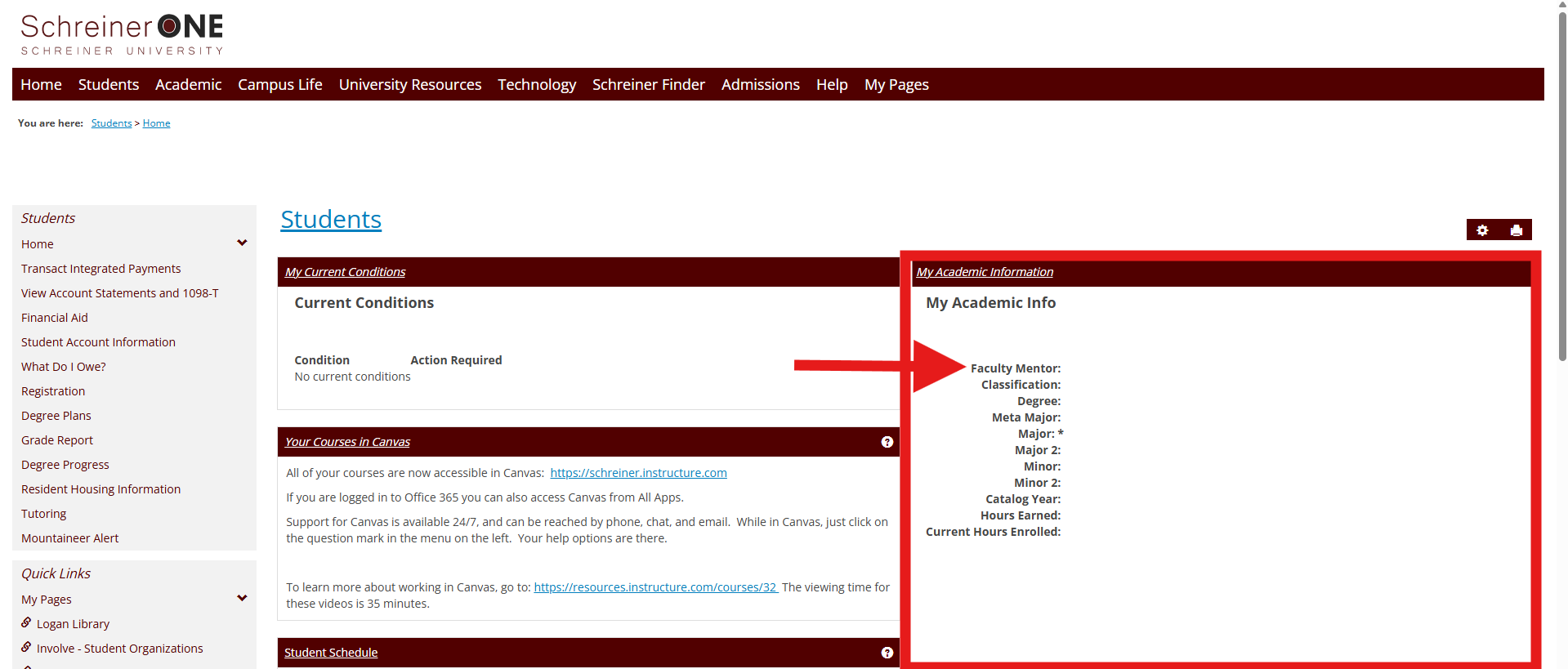
6. It should contain your assigned advisor and their email address listed under "Faculty Mentor."
Note: This students information has been hidden as to preserve certain sensitive information
7. Contact your advisor through their email or in person set up a place to meet and discuss your major.
Note: If you have any questions or your Faculty Mentor is not displayed, please contact the schreiner admissions office.

