

How do I access my Canvas Email?(Canvas)
Last updated: Oct 26, 2026
14
views

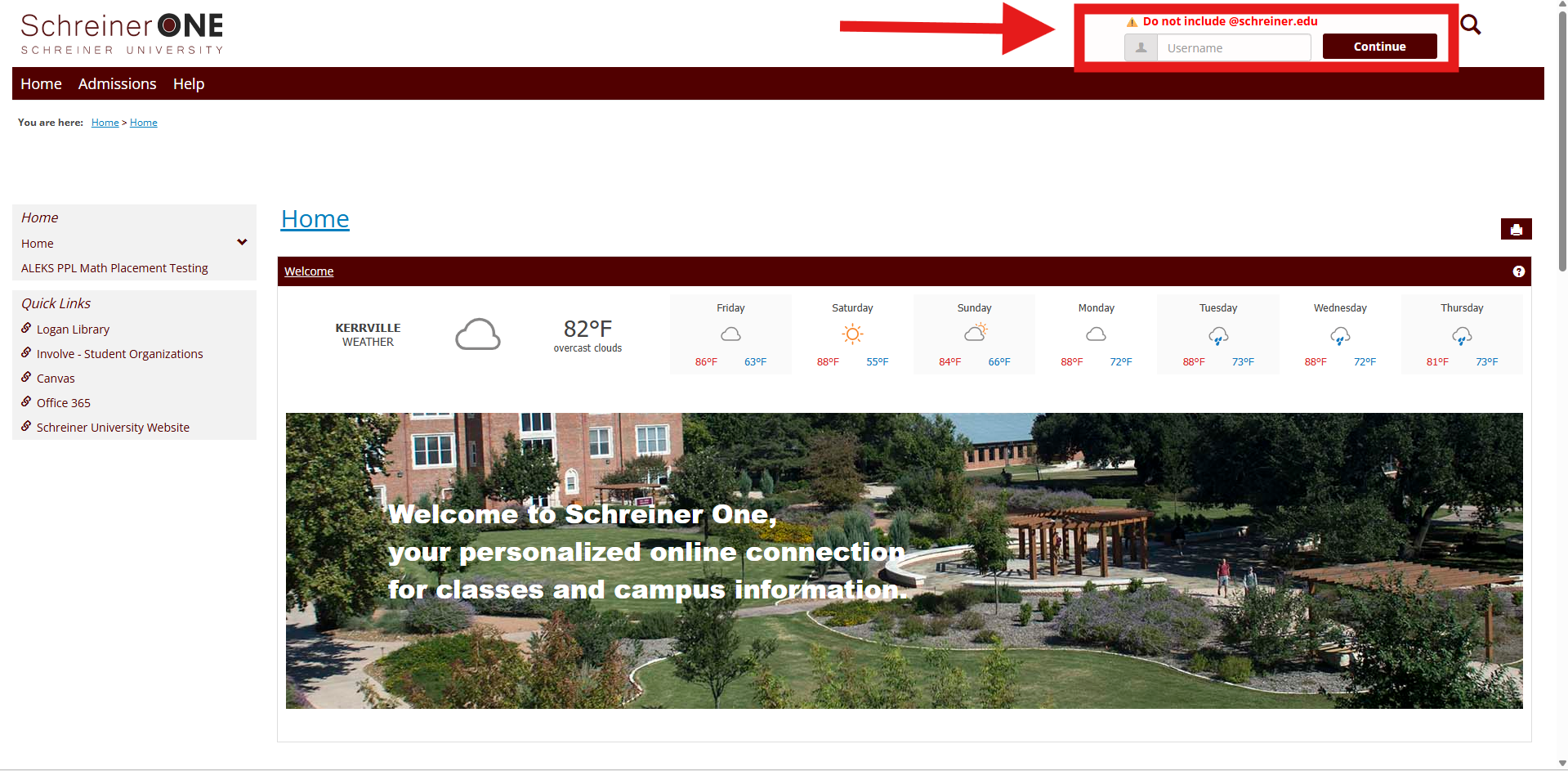
First, you must log into your Schreiner One account using only the username before "@schreiner.edu".
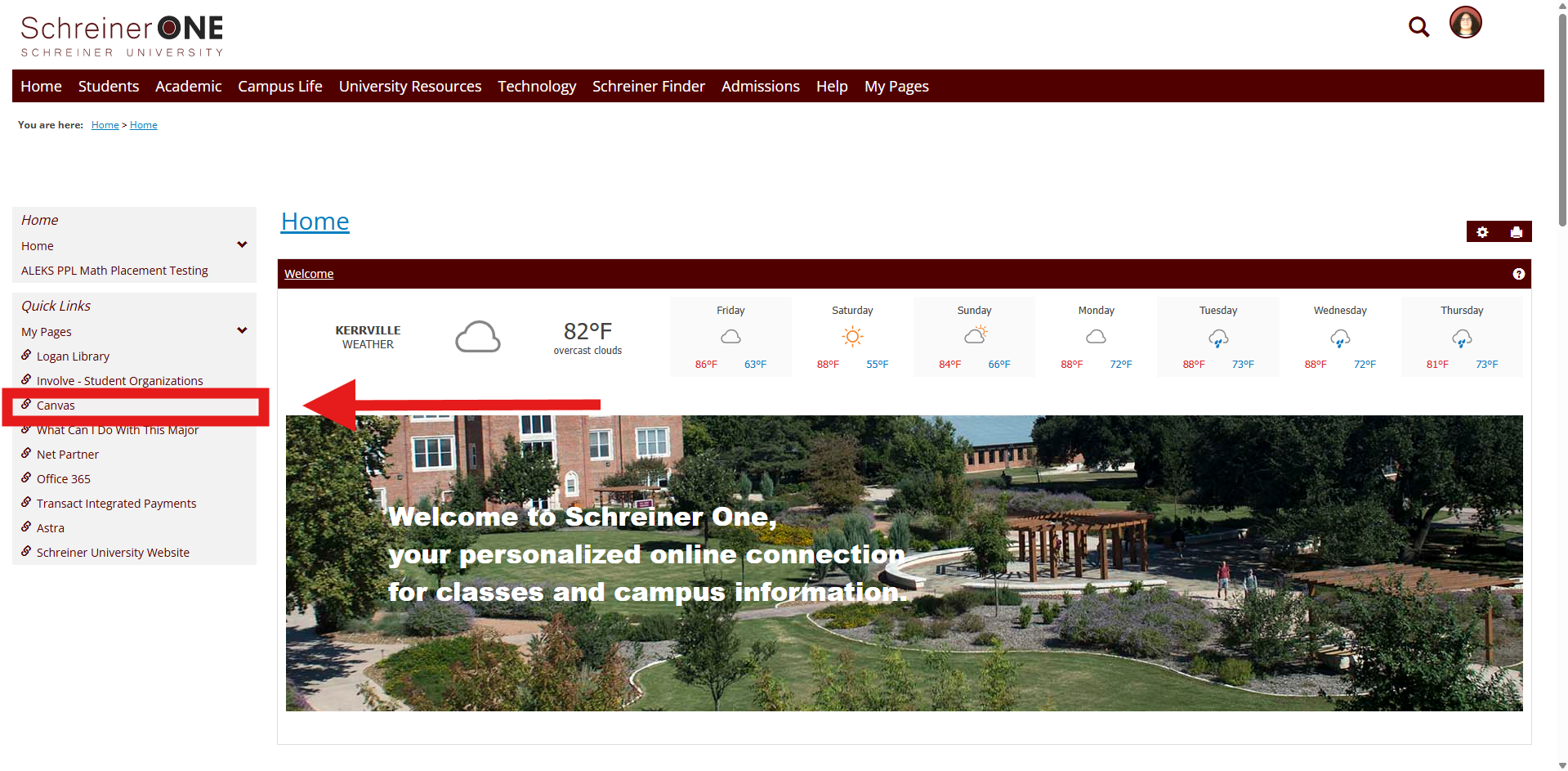
From there. Press Canvas.
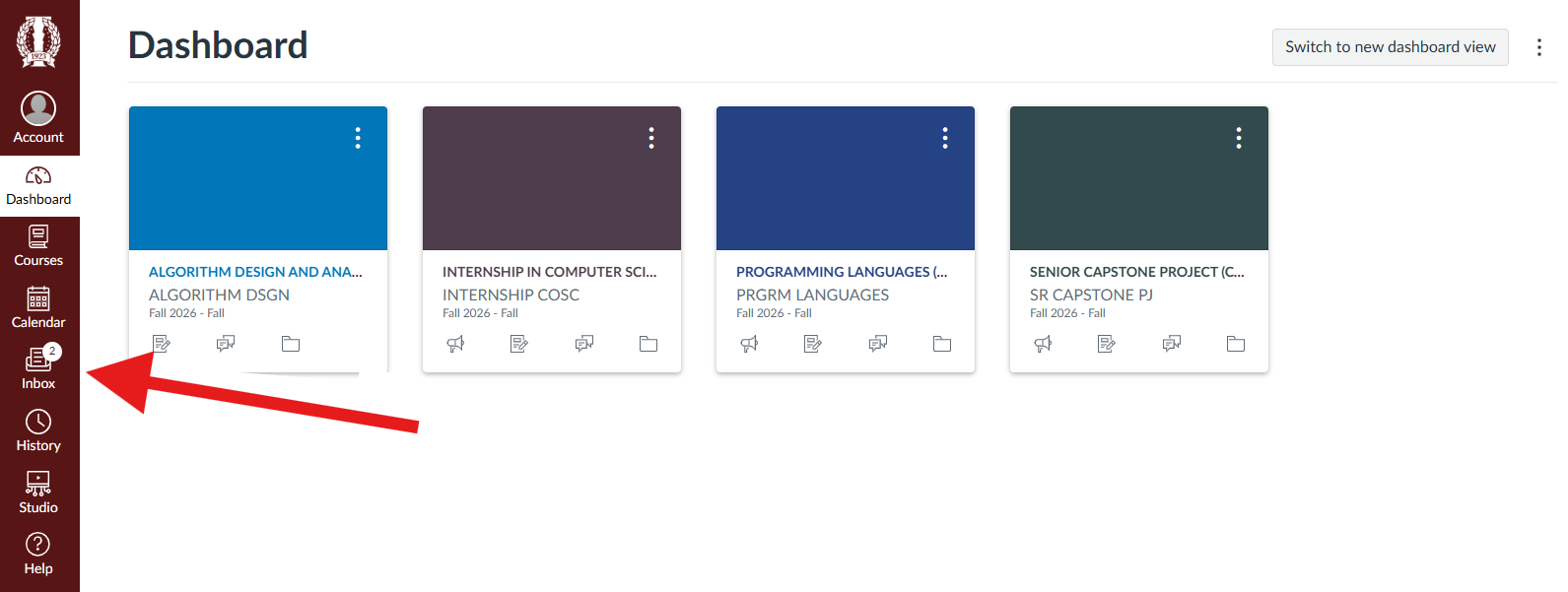
Then on the left taskbar, press the inbox option.
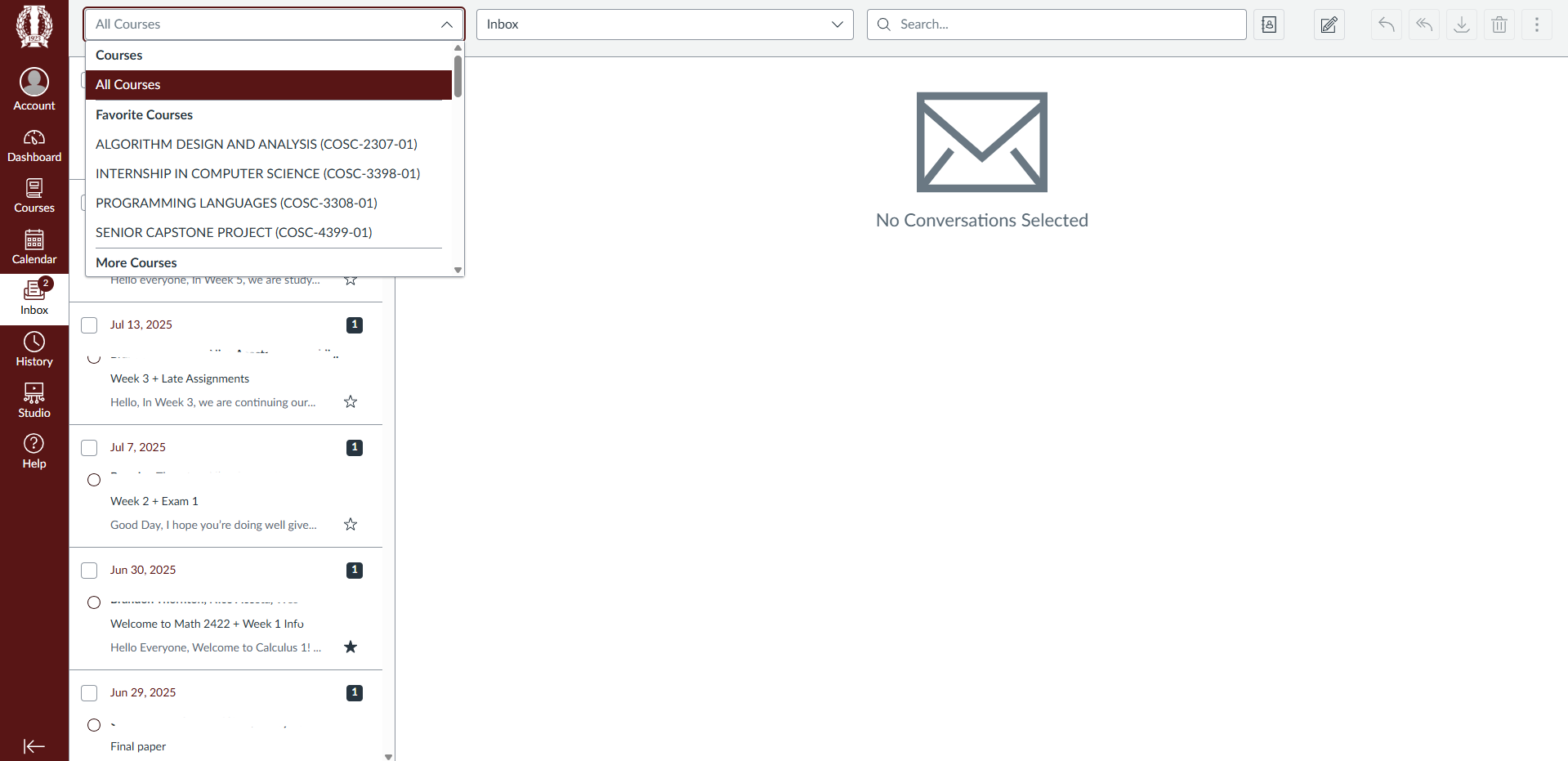
Once you have opened your inbox you may use the available filters to search for a specific class or email.
NEED HELP?
Contact the SERVICE DESK @:

