


This article is here to help you on where to find your balance.
First, go to the search bar and type in "Schreiner one."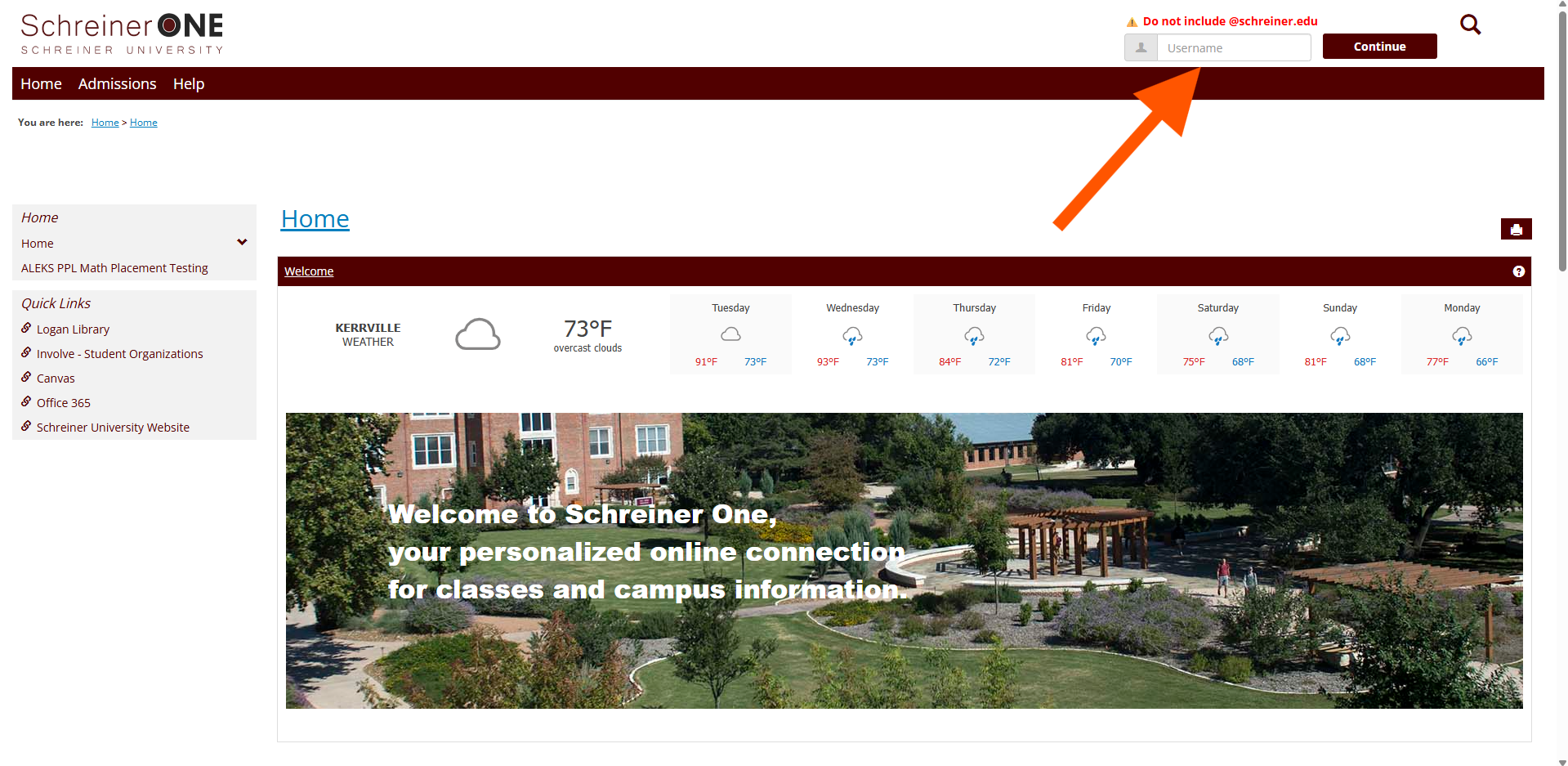
Once you have been logged in, click on the "Students" tab.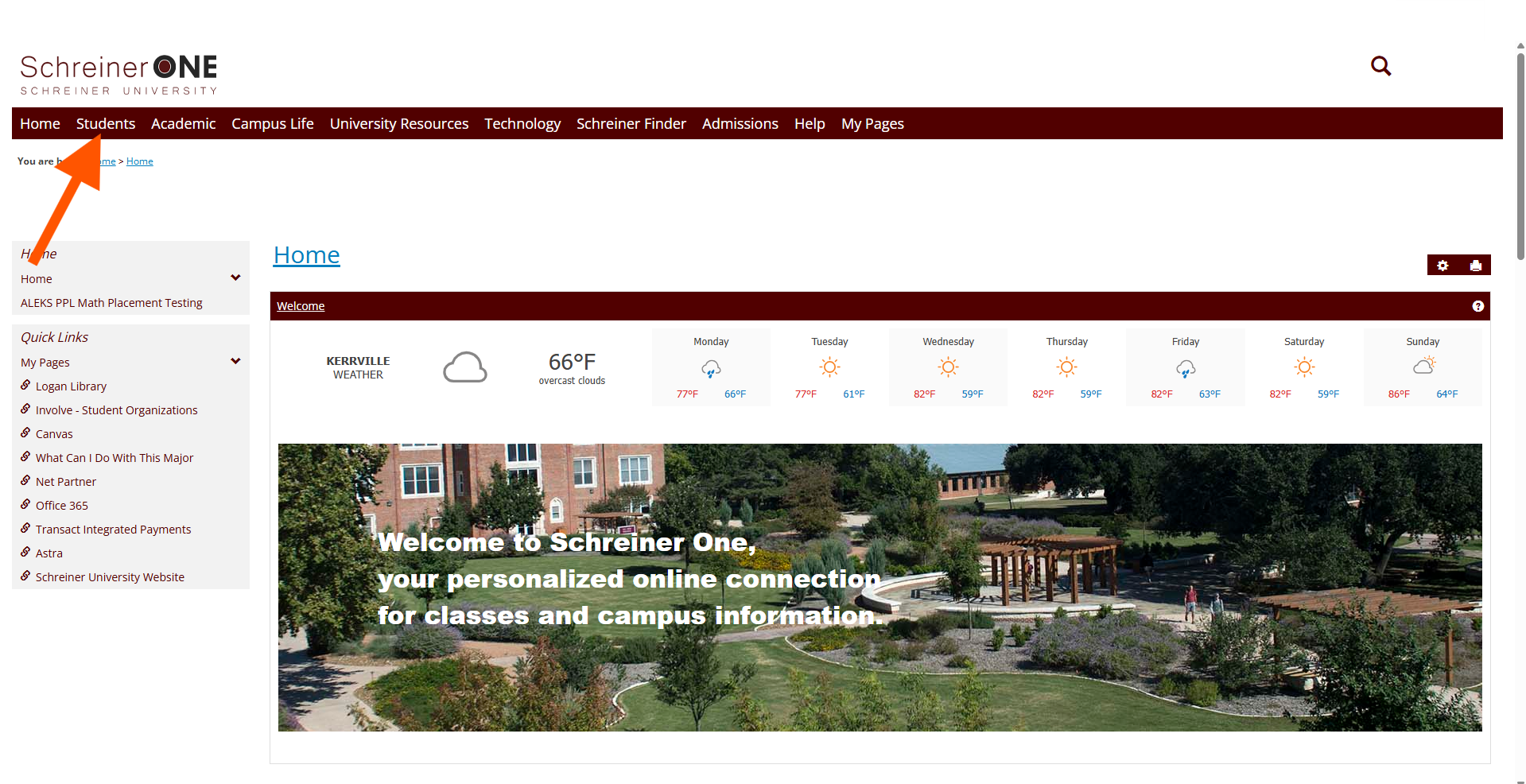
In the "Students" tab, click on "What do I Owe?"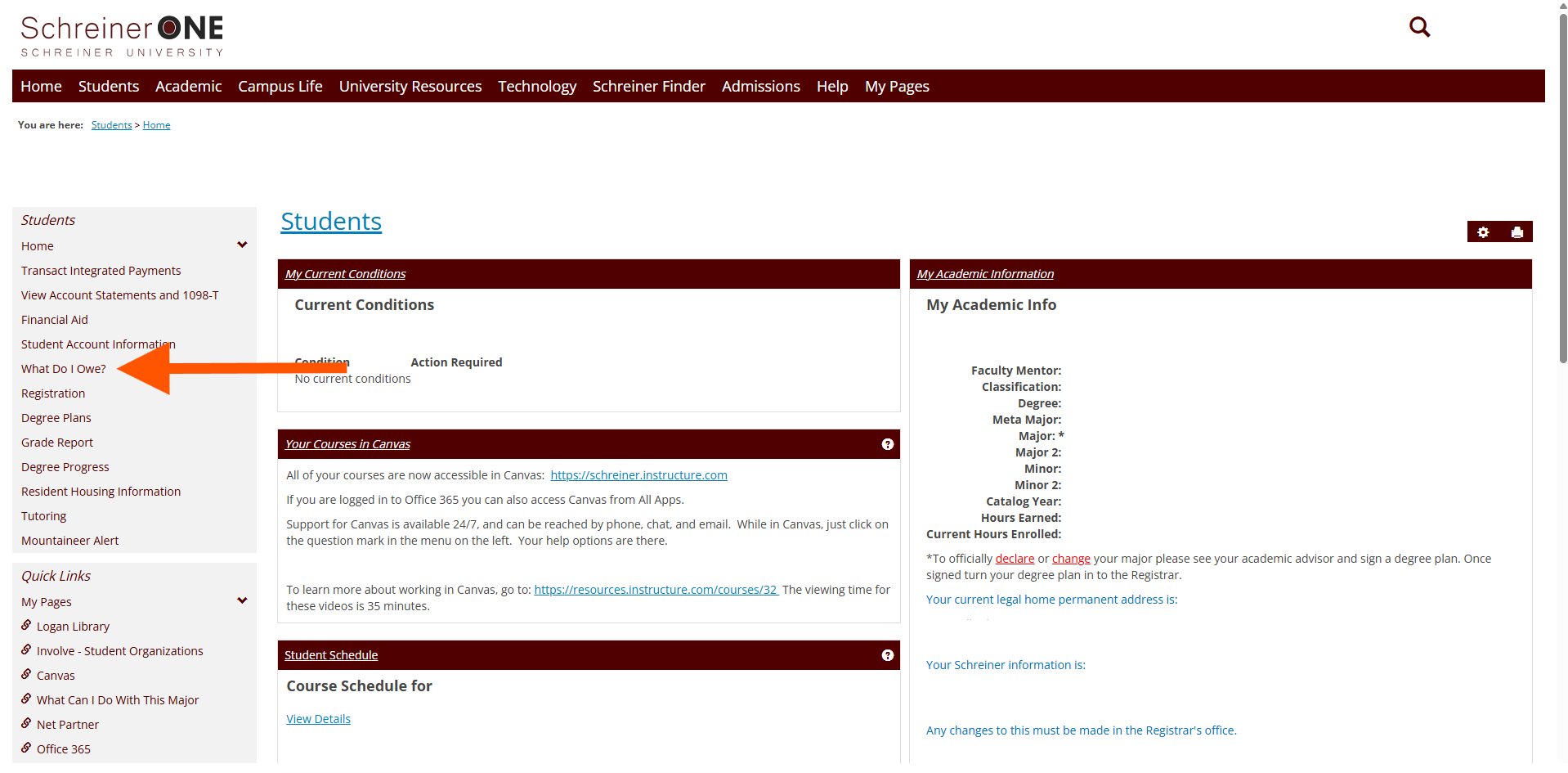 In there you will see your balance. If you want to see more details about your balance, you can click on "click here."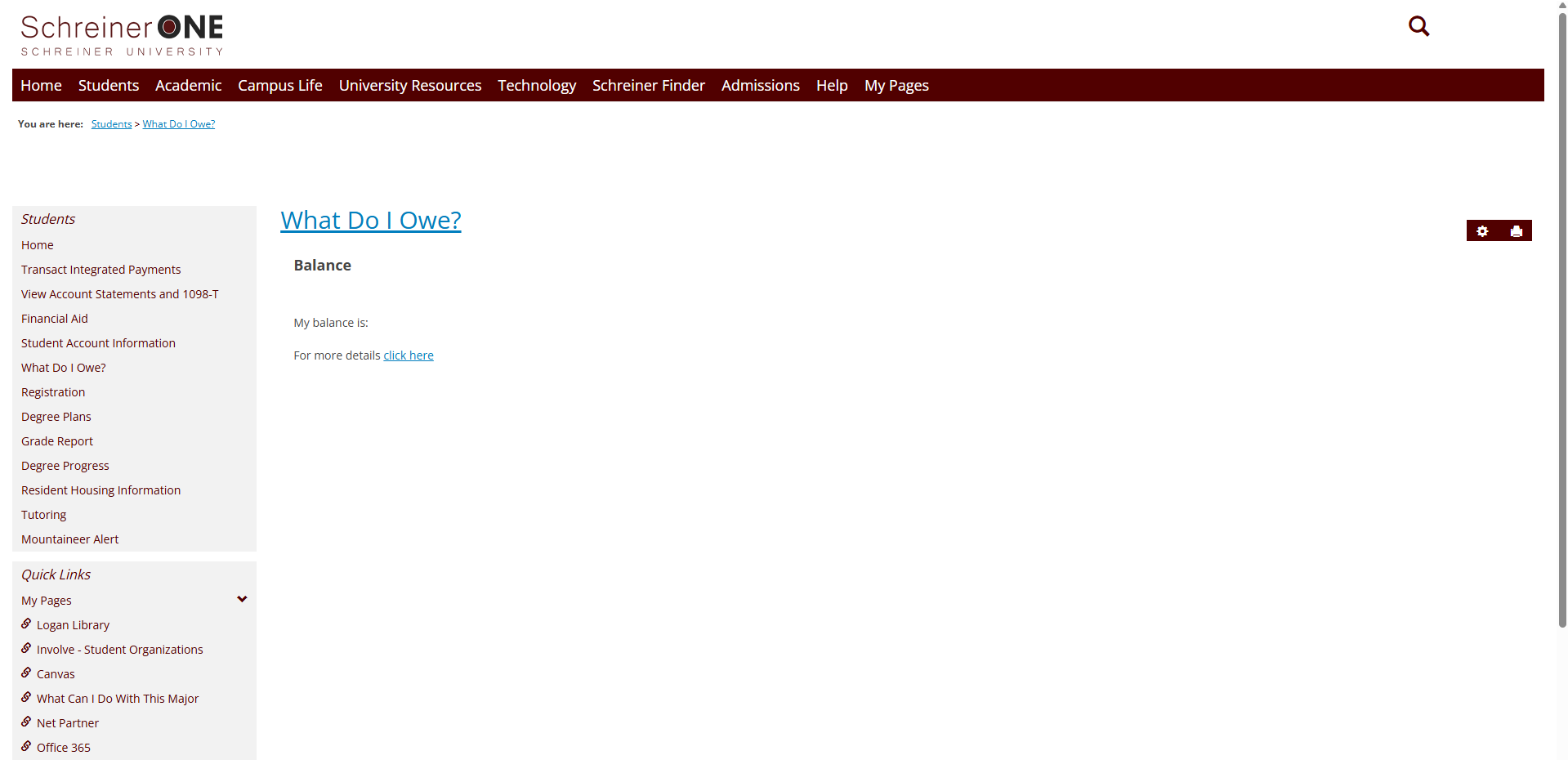
You will be taken to a new page where you have three options to choose from.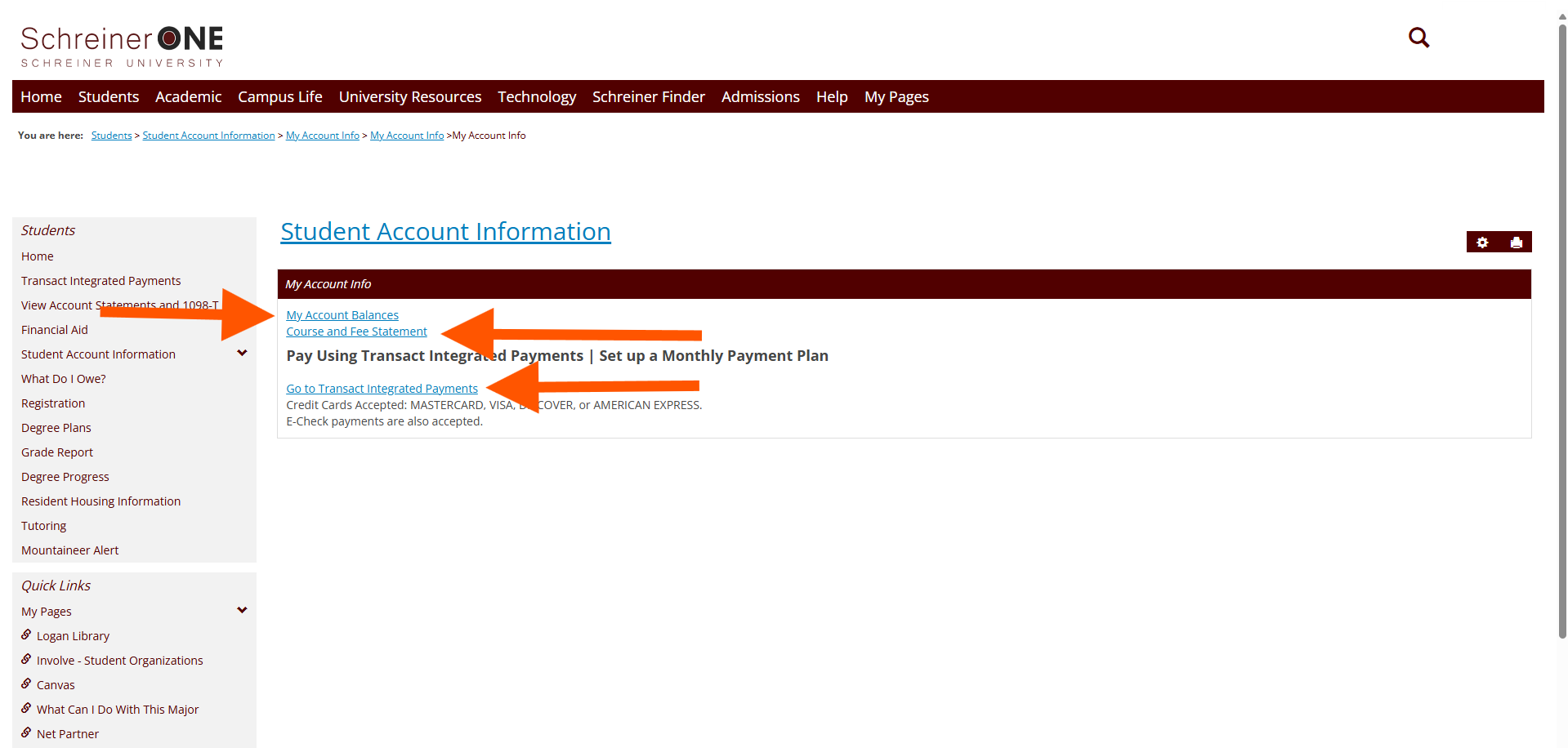
First, we will go over "My Account Balances." In "My account balances", you can see fees, past dues, trips and the total. if you want to see previous payments. You can do so by clicking on "view account details and history. 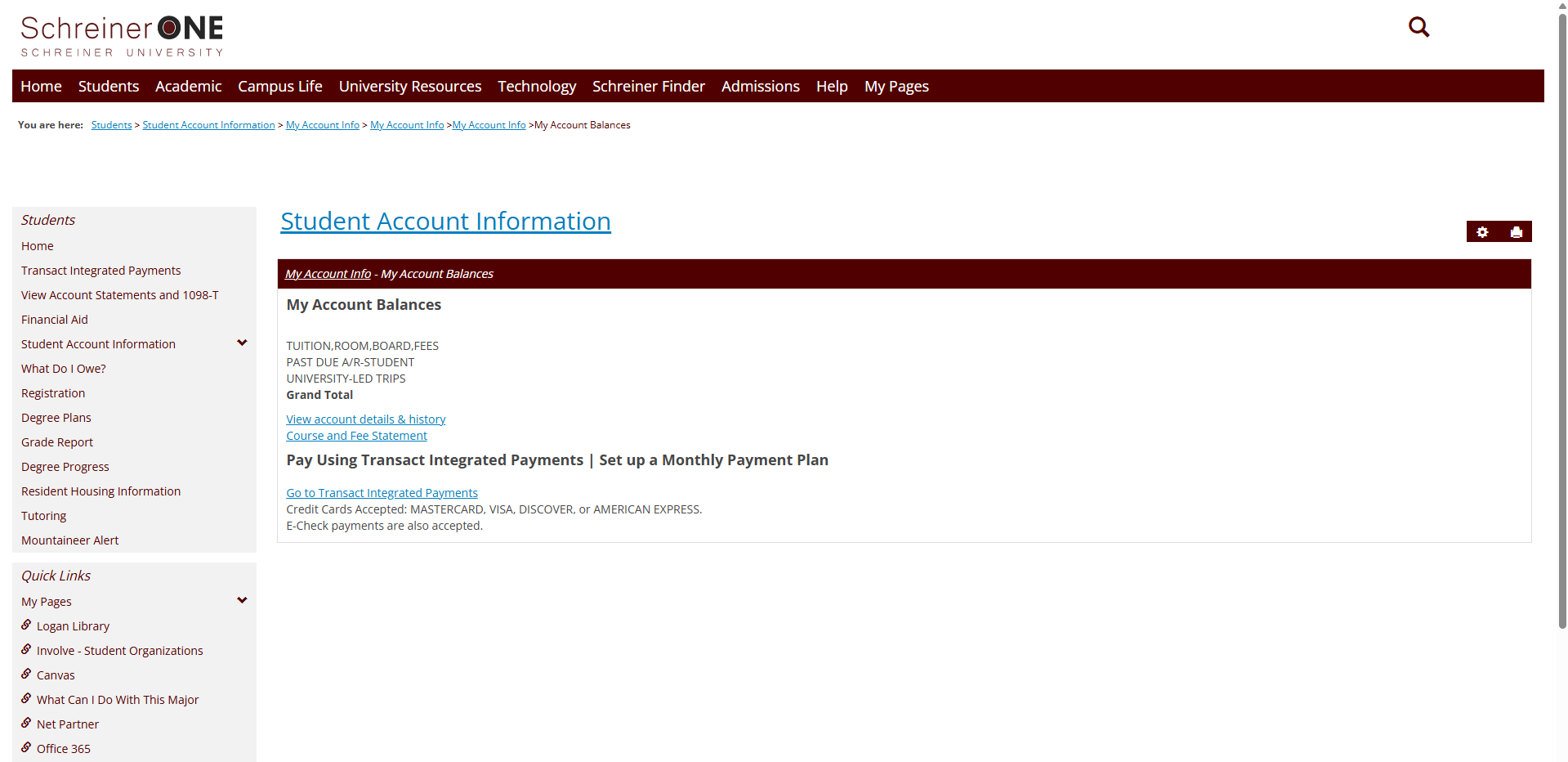
Next, is the "course and fee statements." If you see a red box, please contact the business office to get more help. Phone number is (830)792-7303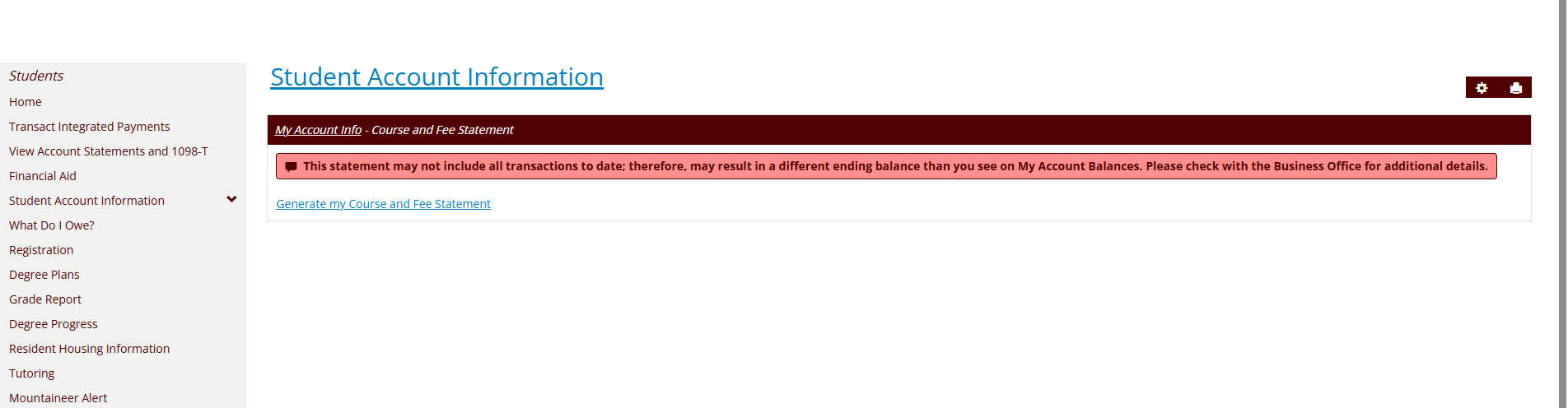
The last one is doing a payment online. when you click on "Go to transact Integrated payments", you will go to a new page, if everything looks in order then click on "make a payment." 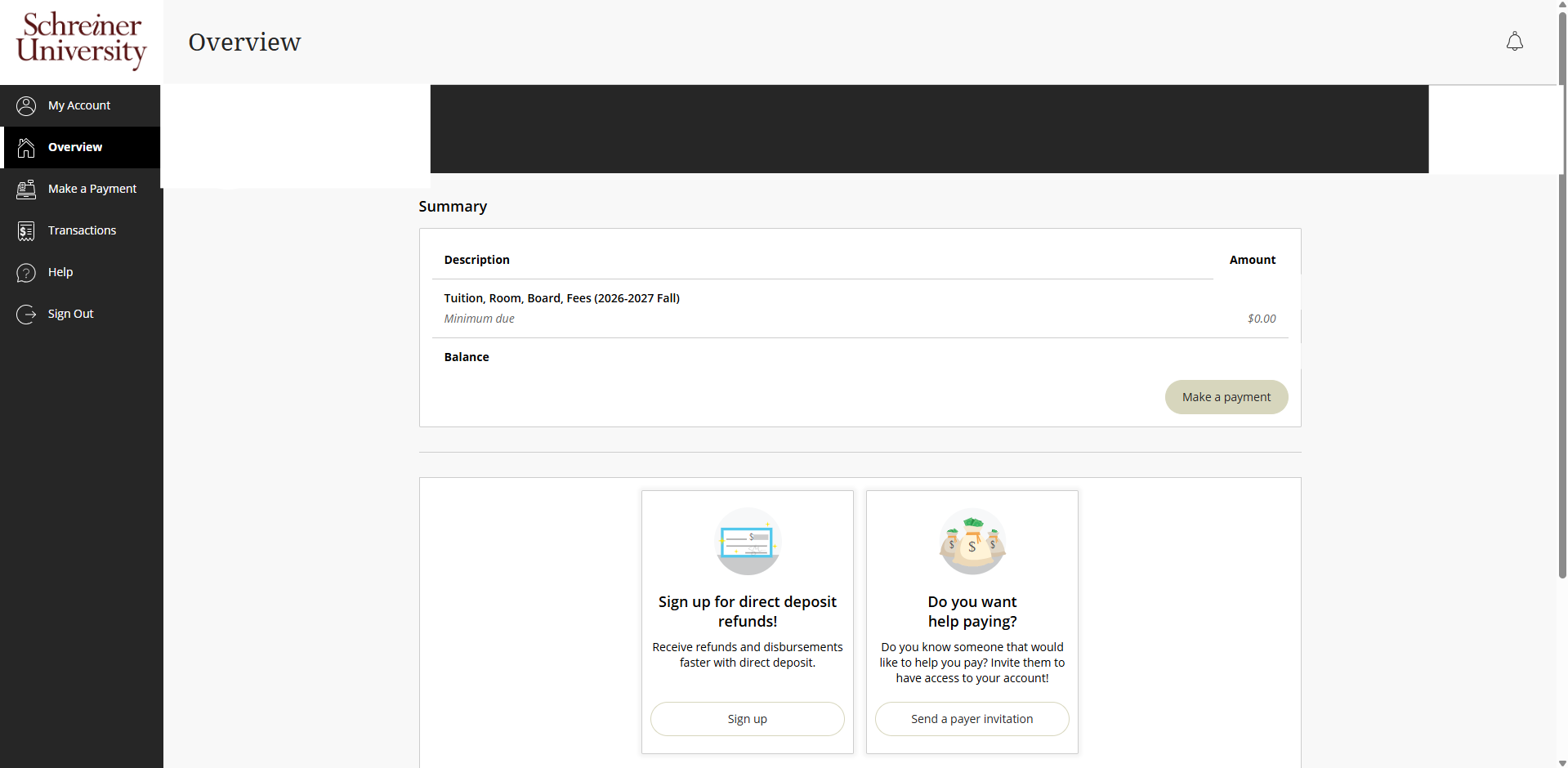
You will be in another new page and here you will check which payments to pay or just click on check all. Click on the arrow to see a drop down menu of minimum, balance, or other for the payment amount. Next you will need to select a payment term, choose the one that best fits you. After that is all done, click on "check out."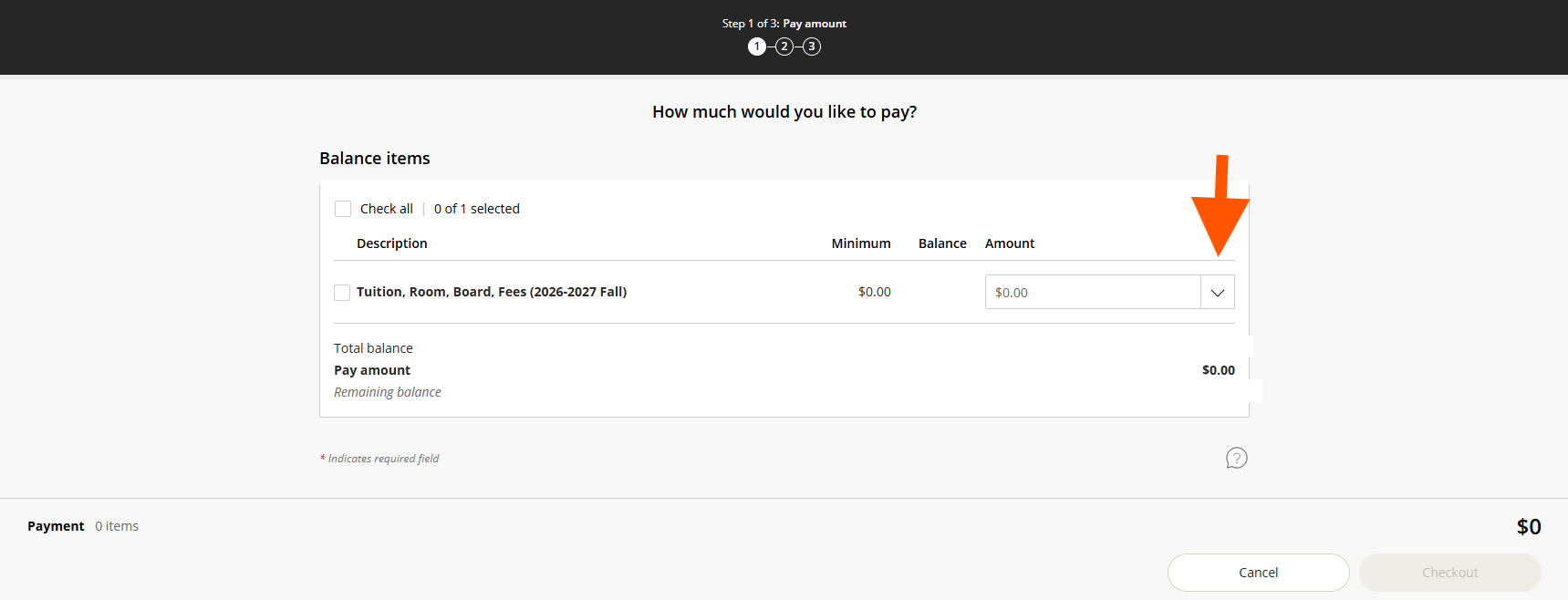
Here is where you will chose your payment. Choose the one that is best for you. then click on "Continue" in the bottom right corner. If you see a service fee, click on the box and then on "continue."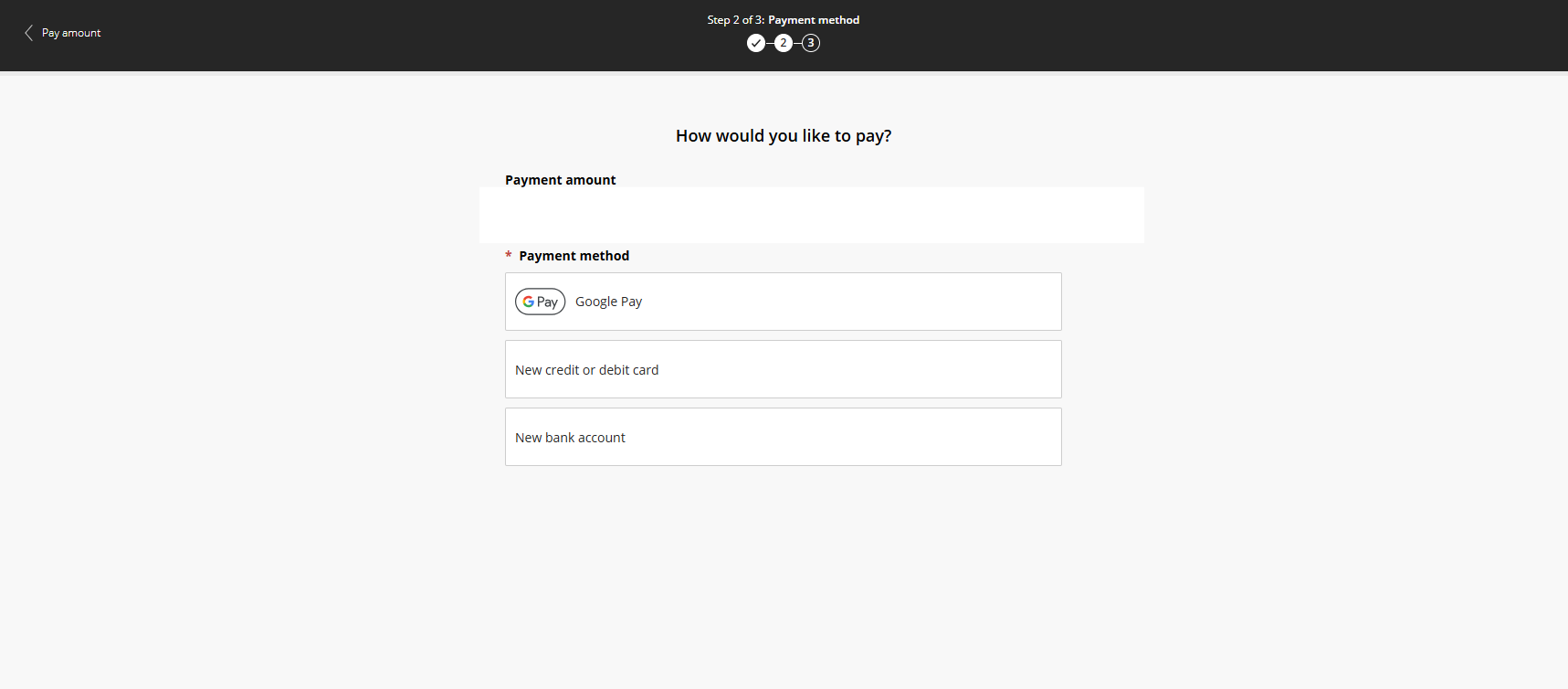 Here you will see an overview before you pay, make sure everything is in order. Once everything is good, click on "pay" in the bottom right corner.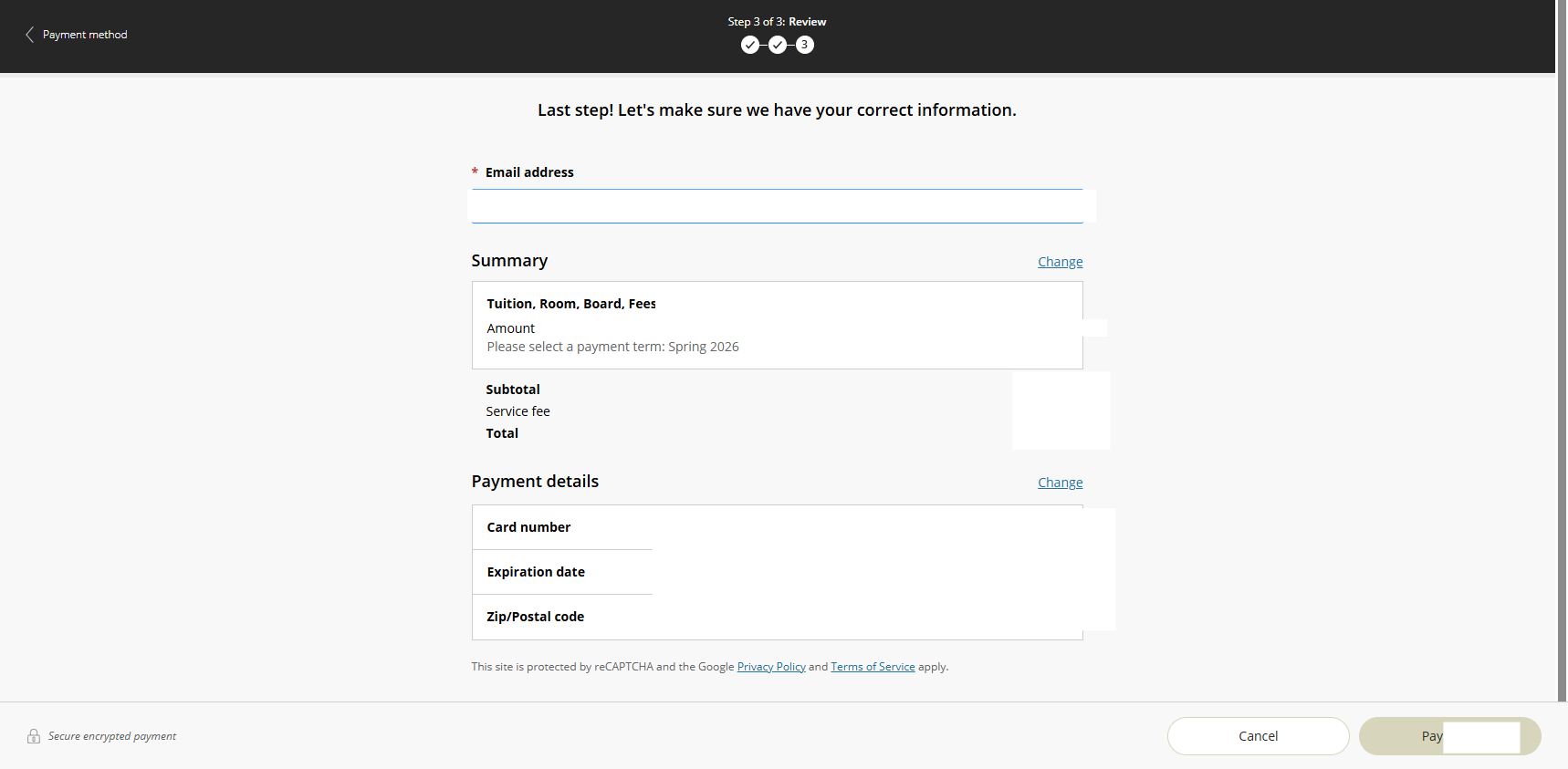
Your payment will go through and all is done.
If you have any questions that were not answered in this article. Please contact the financial aid office, the phone number is (830)792-7303.

