

How to accept financial awards

Last updated: Sep 30, 2026
11
views

1. Navigate to schreiner one
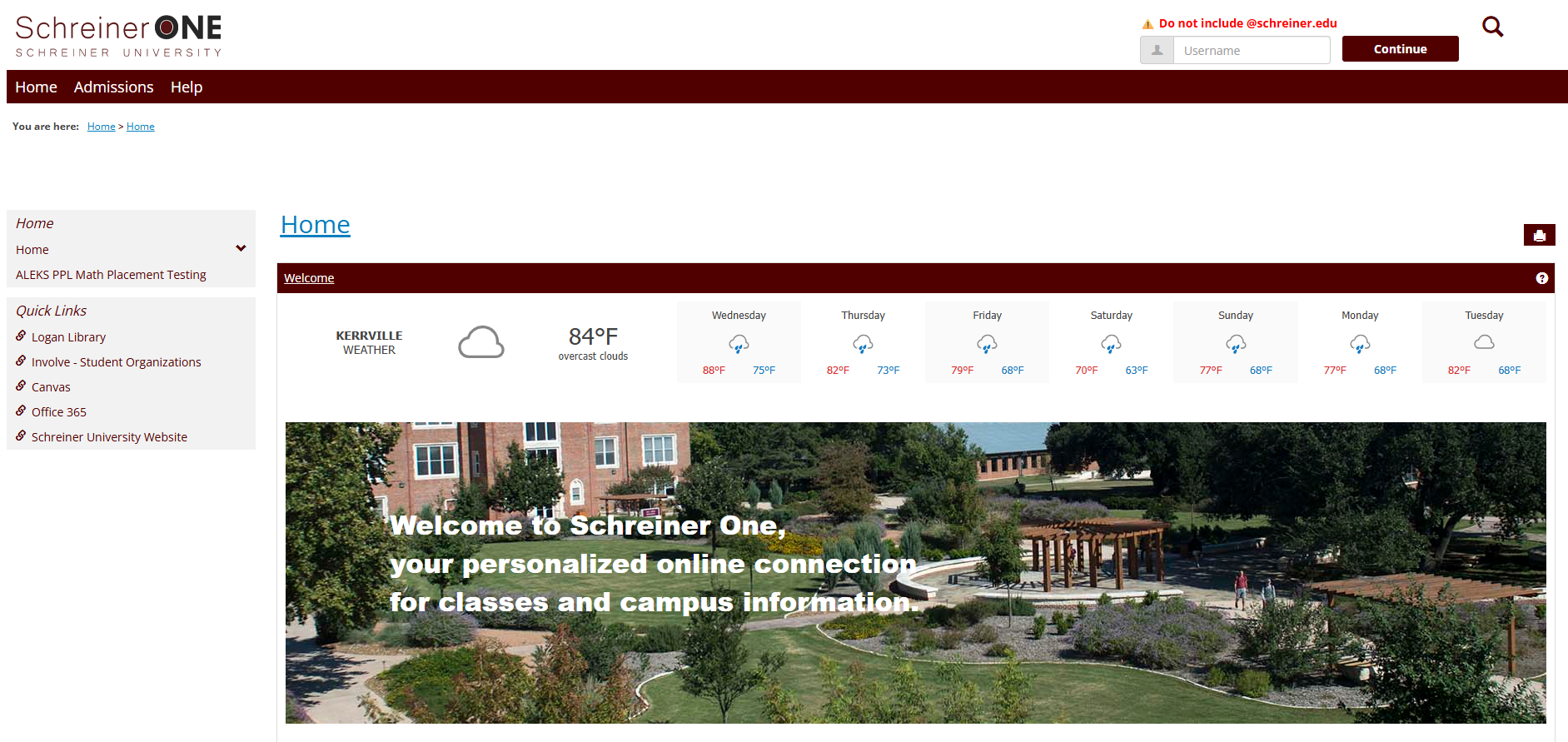
2. Log in using your schreiner email.
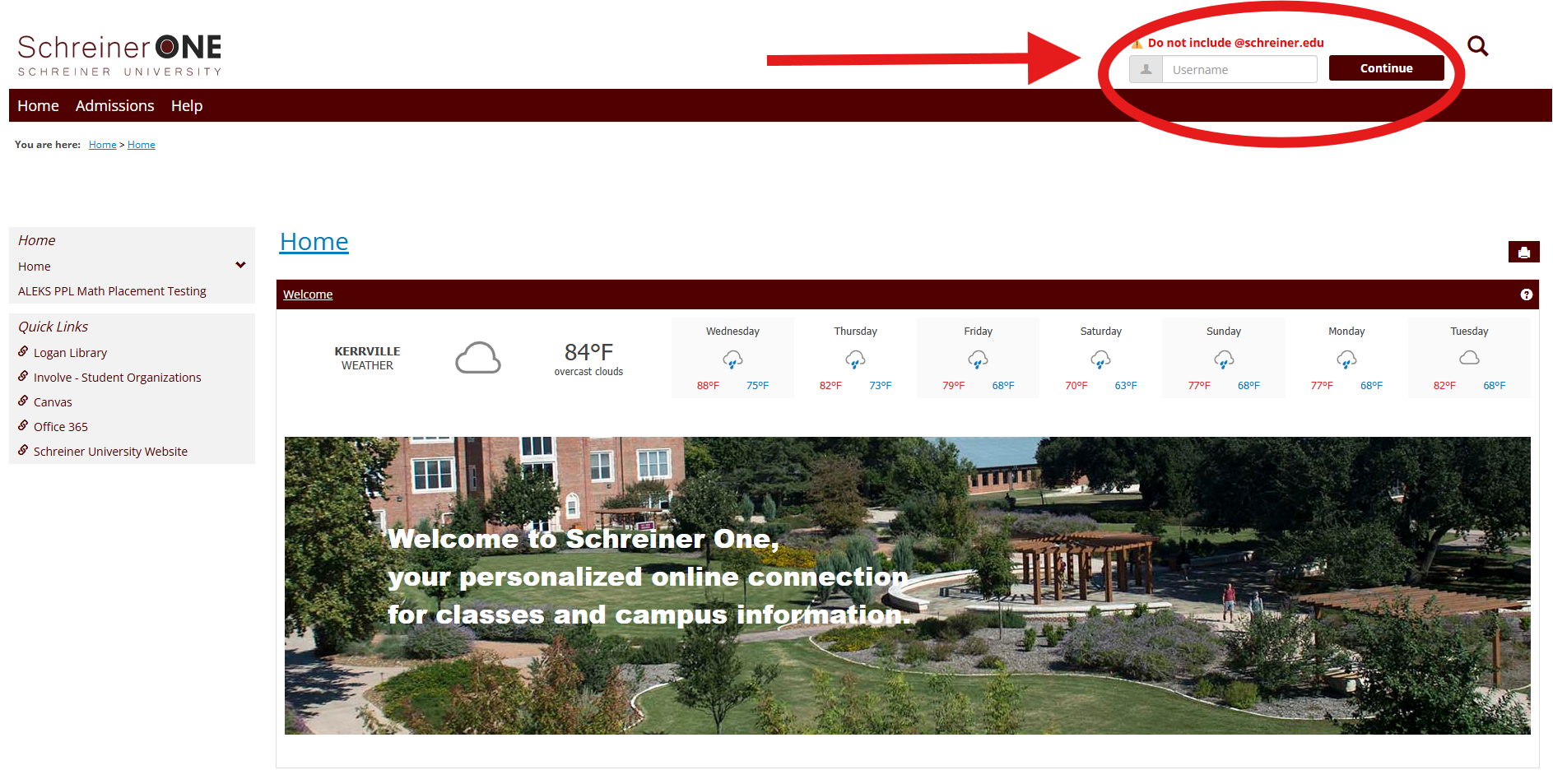
Note: Do not include @schreiner.edu
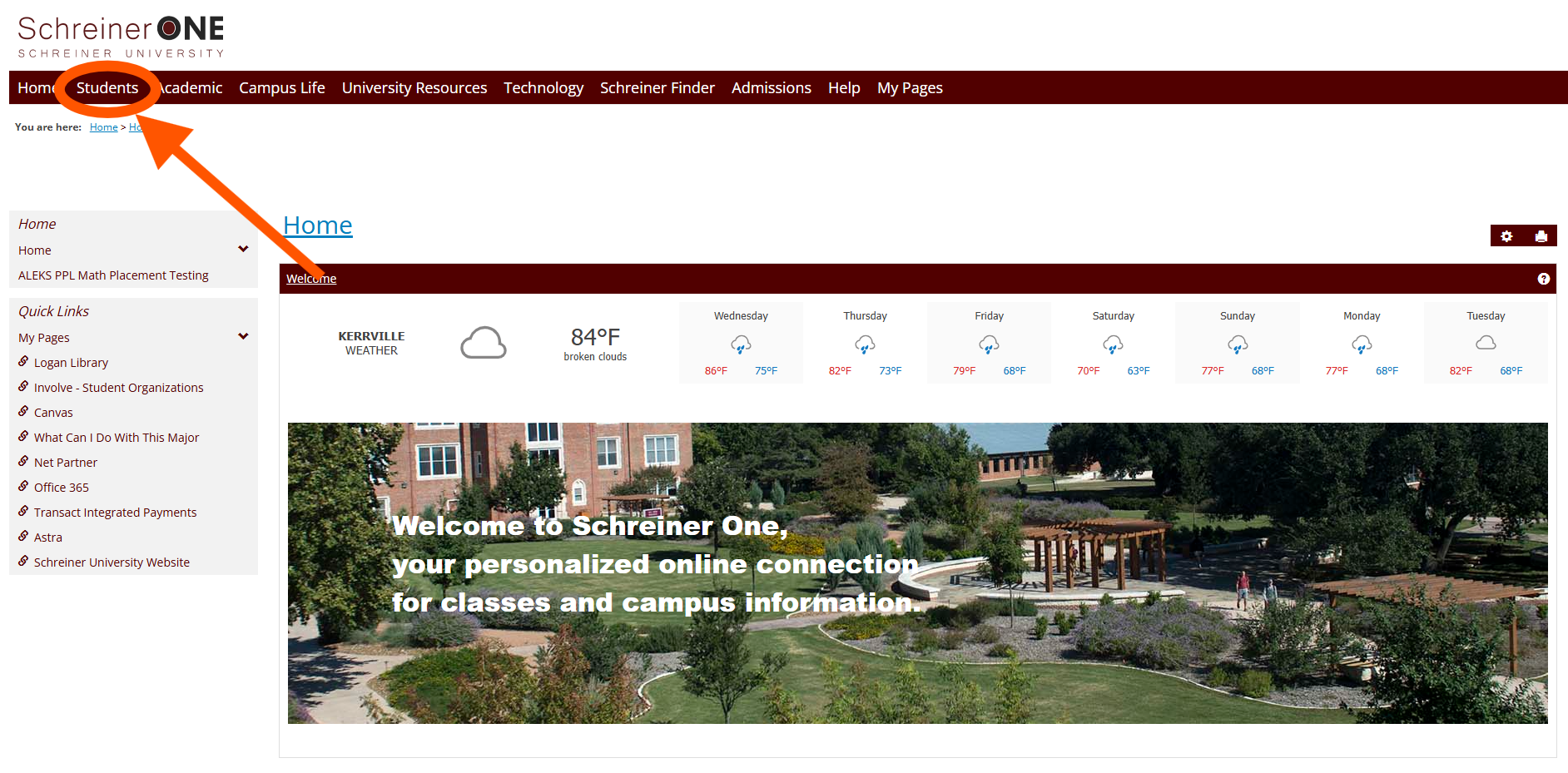
3. Once logged in, Navigate to the students tab
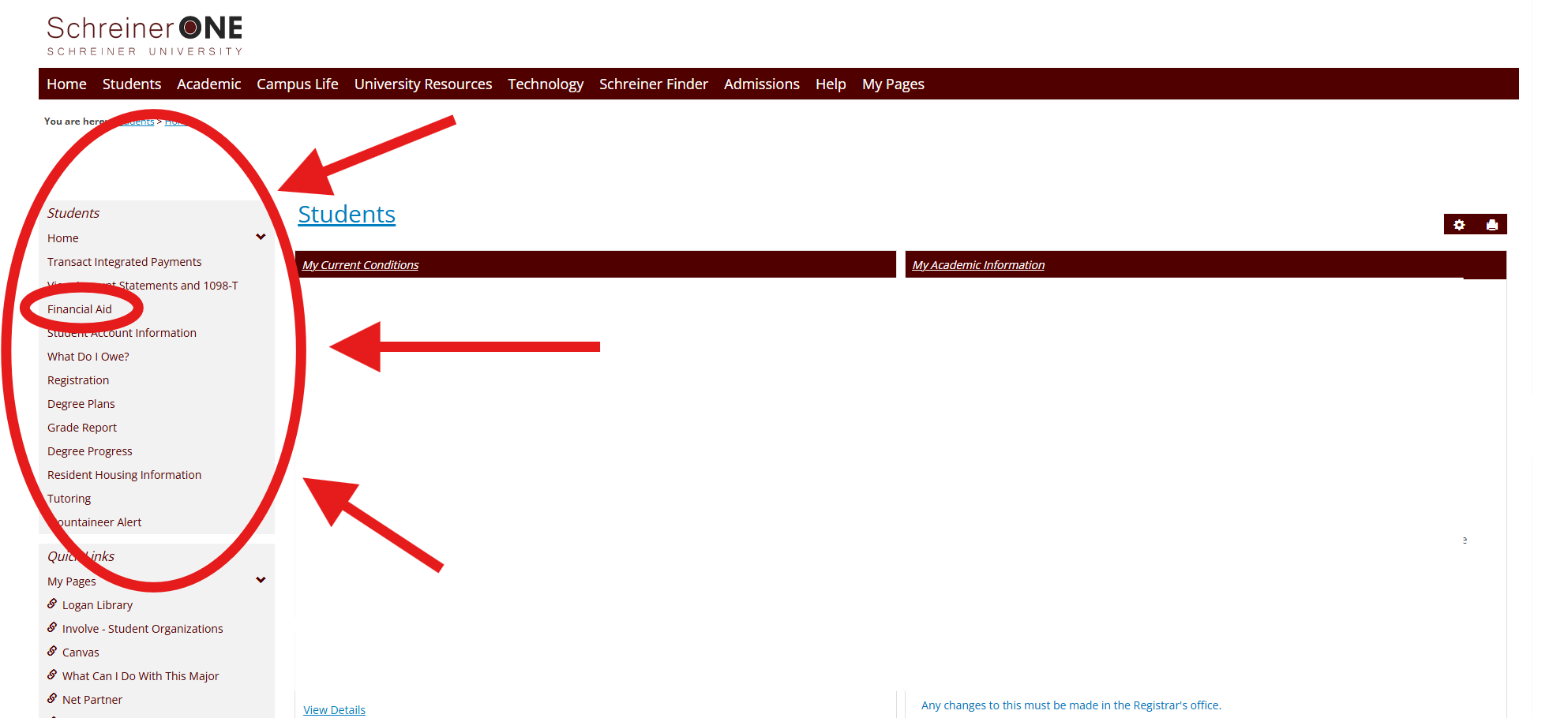
4.Navigate to the students bar on the left side and select financial aid
5. Scroll till you see the "Complete your financial aid" section and follow its instructions
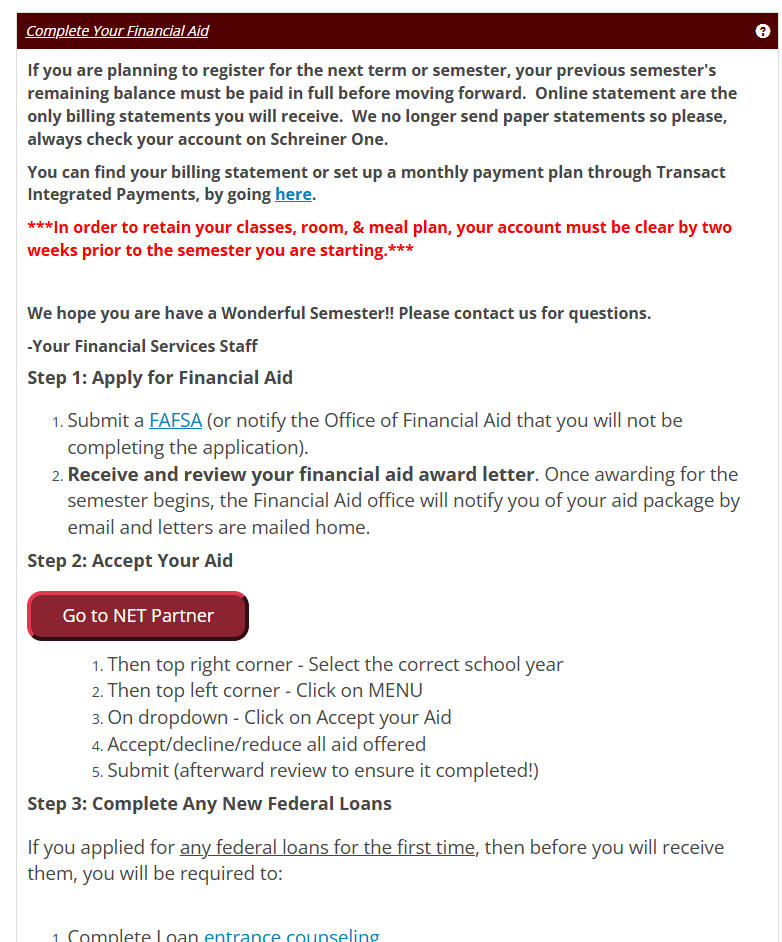
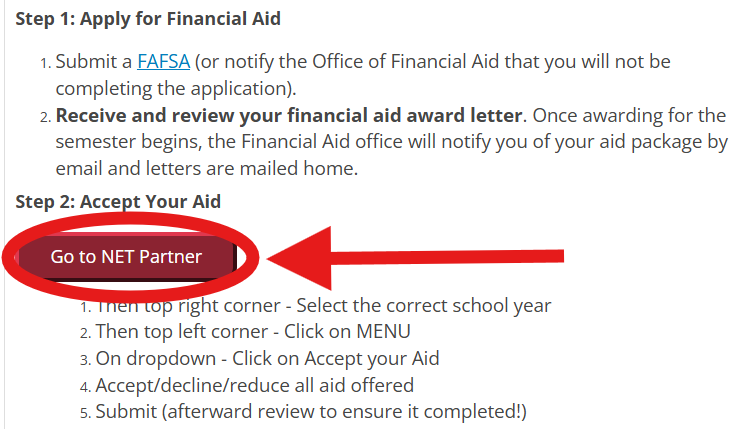
6. If the FAFSA has been submitted and awards are applicable, Select Net Partner
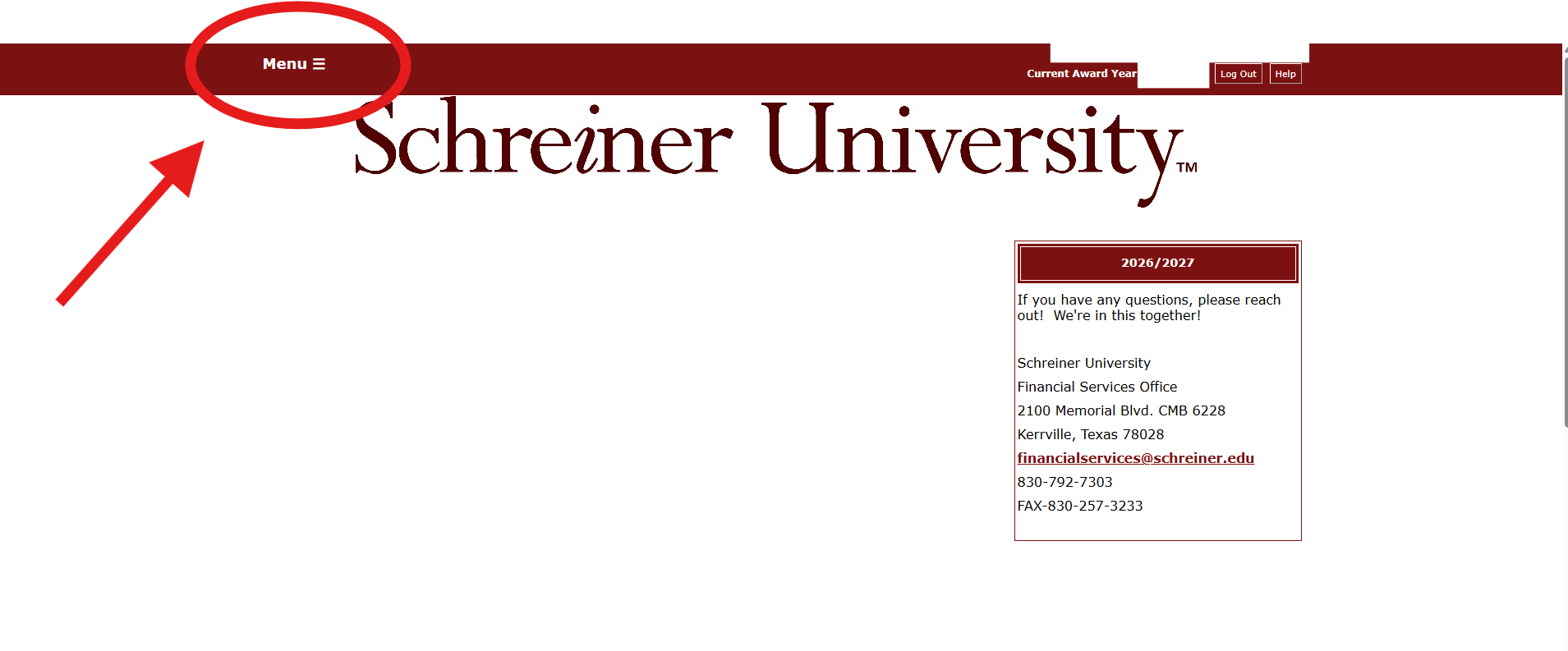
7.Select the menu on at the top of the page
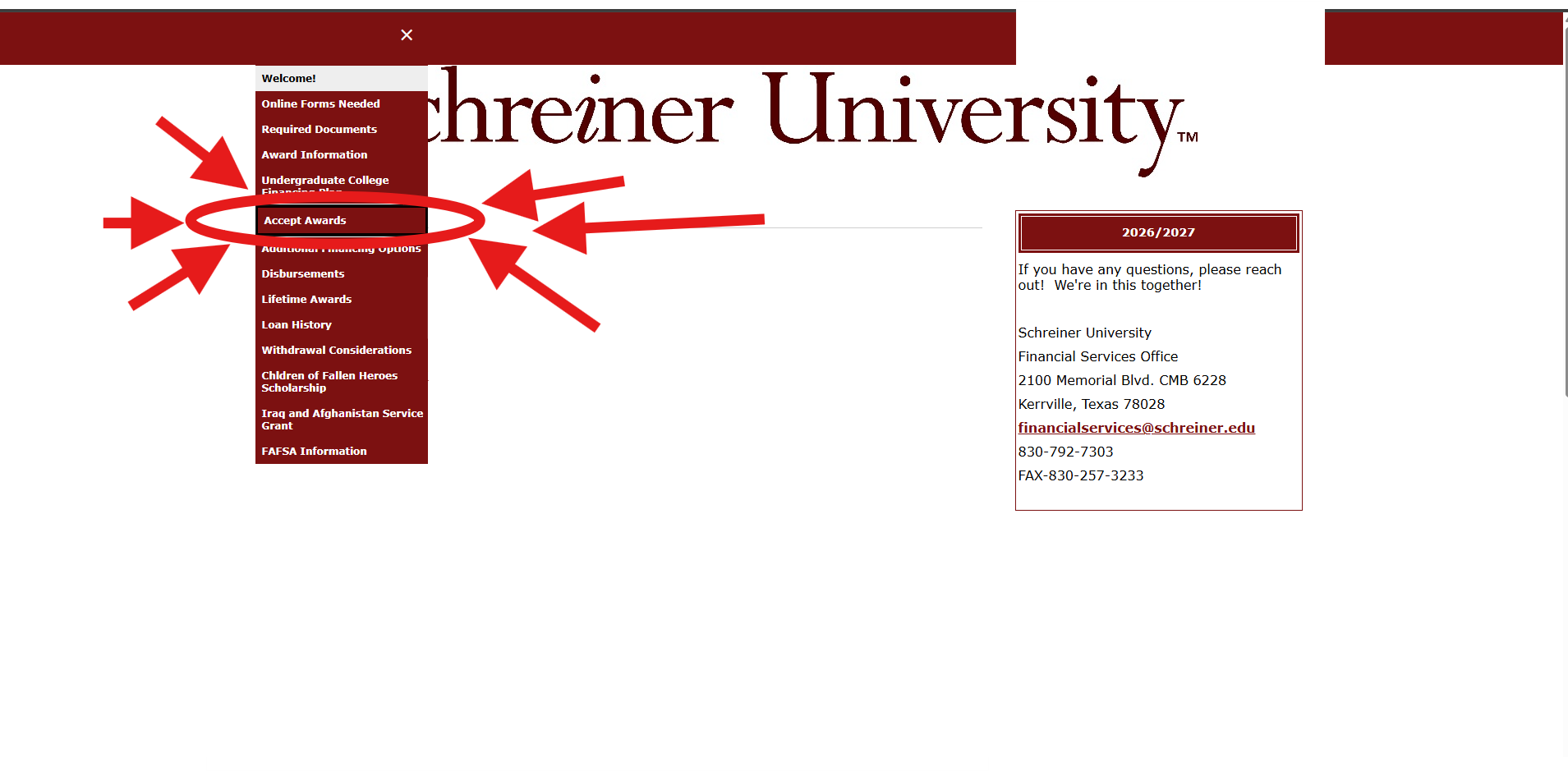
8. Select "Accept Awards"
 9. Scroll down to "Your Financial Aid Offer" and accept any awards available
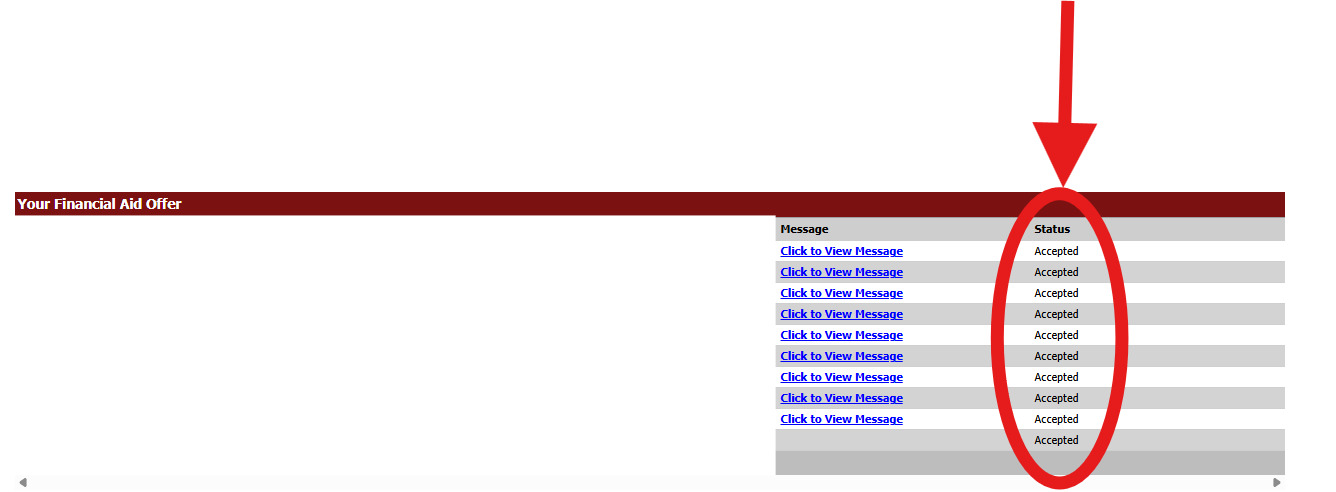
Note: This student already accepted all their aid
Note: If you have any questions or still require assistance please contact the Schreiner Financial Office
E-mail: [email protected]

