


Search "Schreiner one" in a browser and login in the to right corner.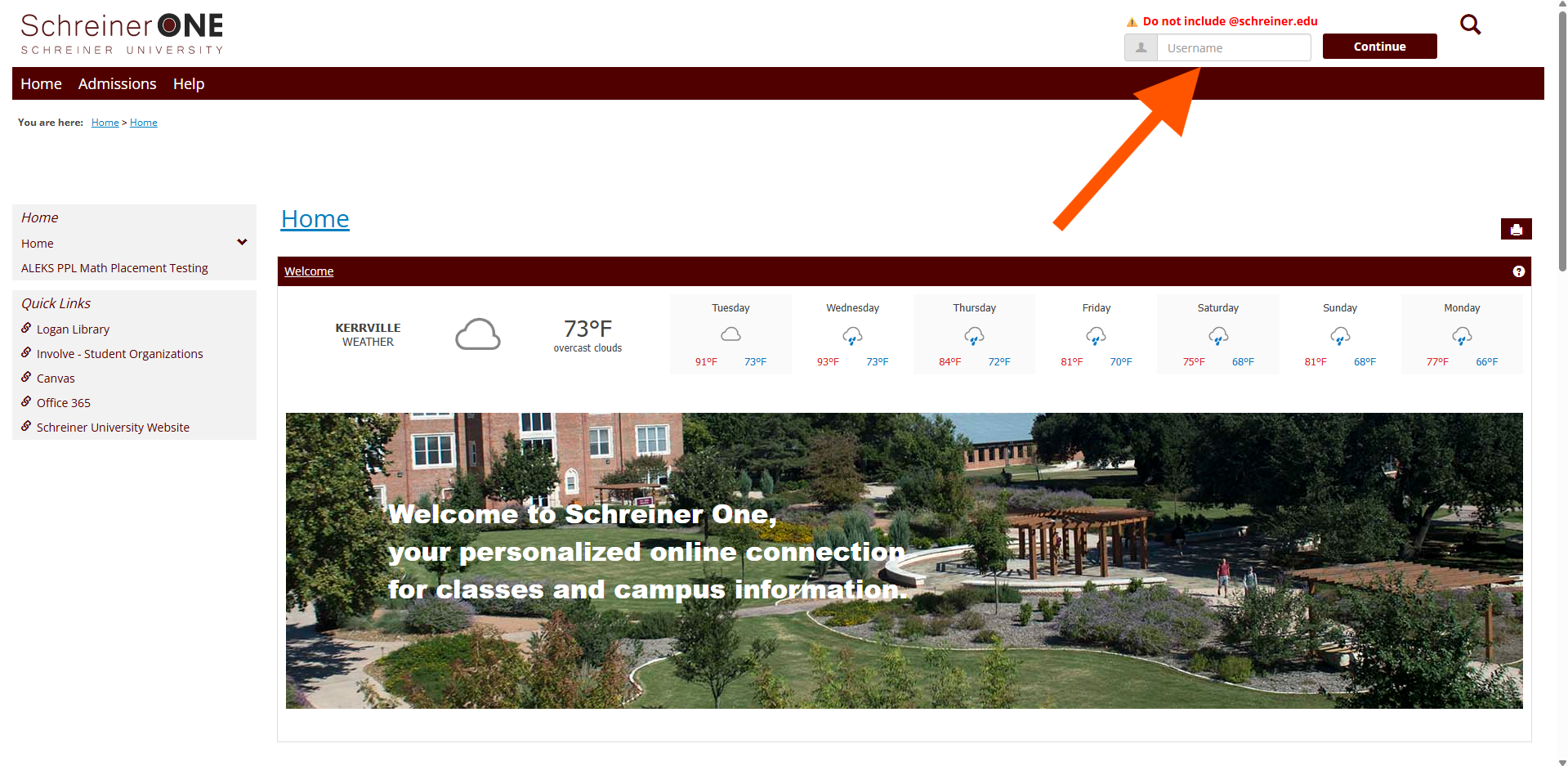
Once logged in, you want to click on the "Academic" tab.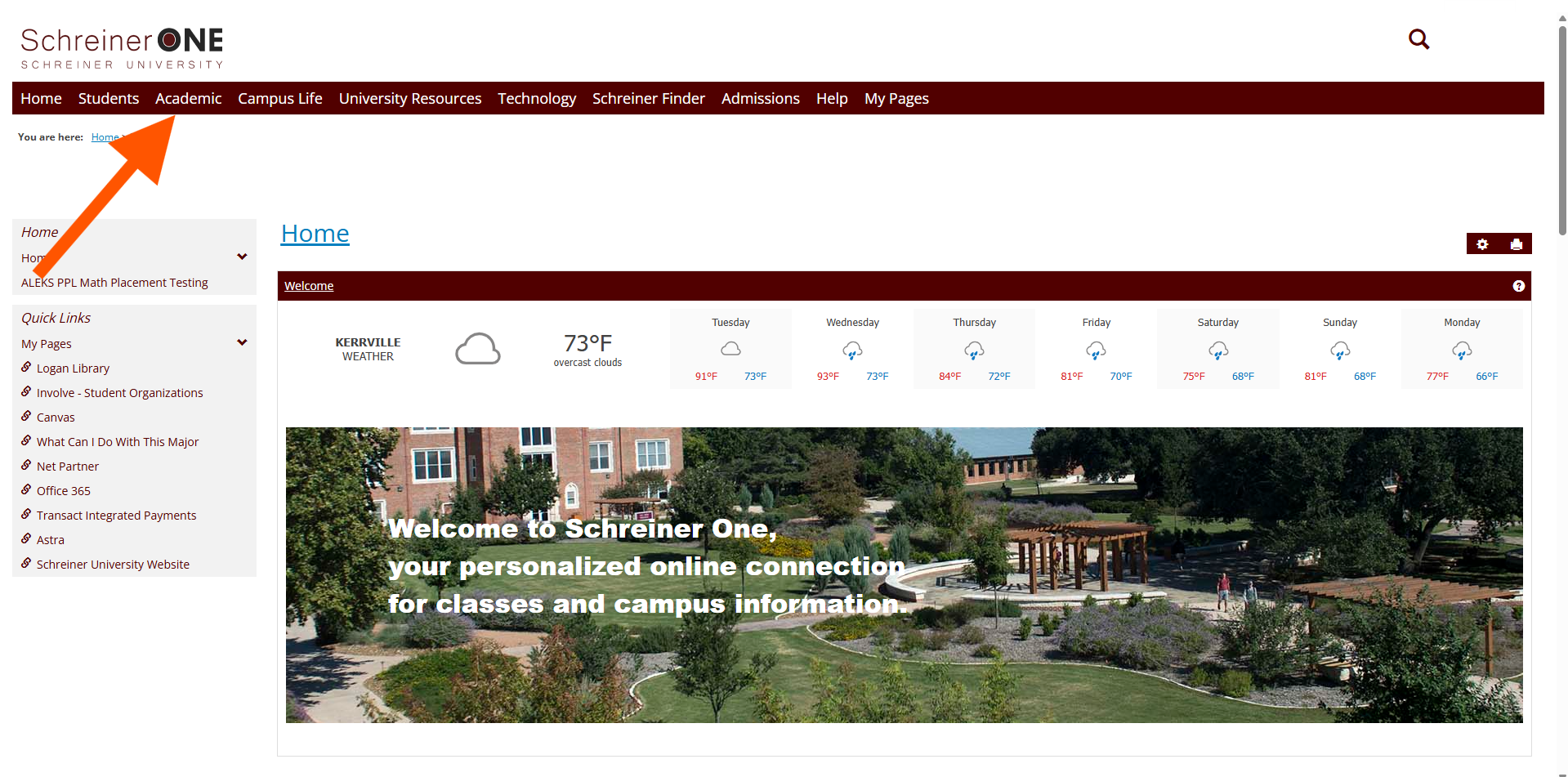
In the "Academic" tab, in the left panel, click on "Grades."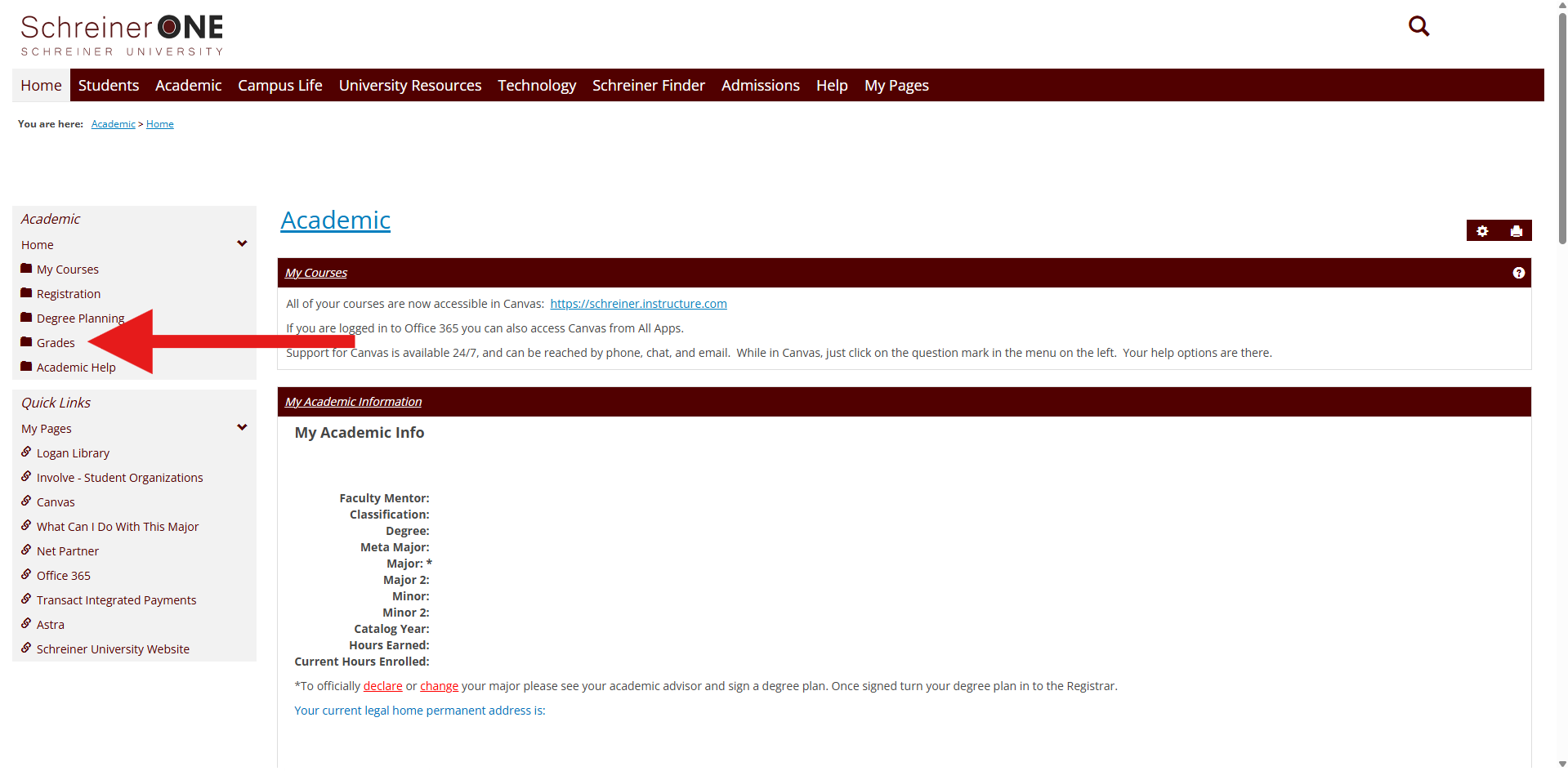
In the "Grades" section, click on the "GPA projection."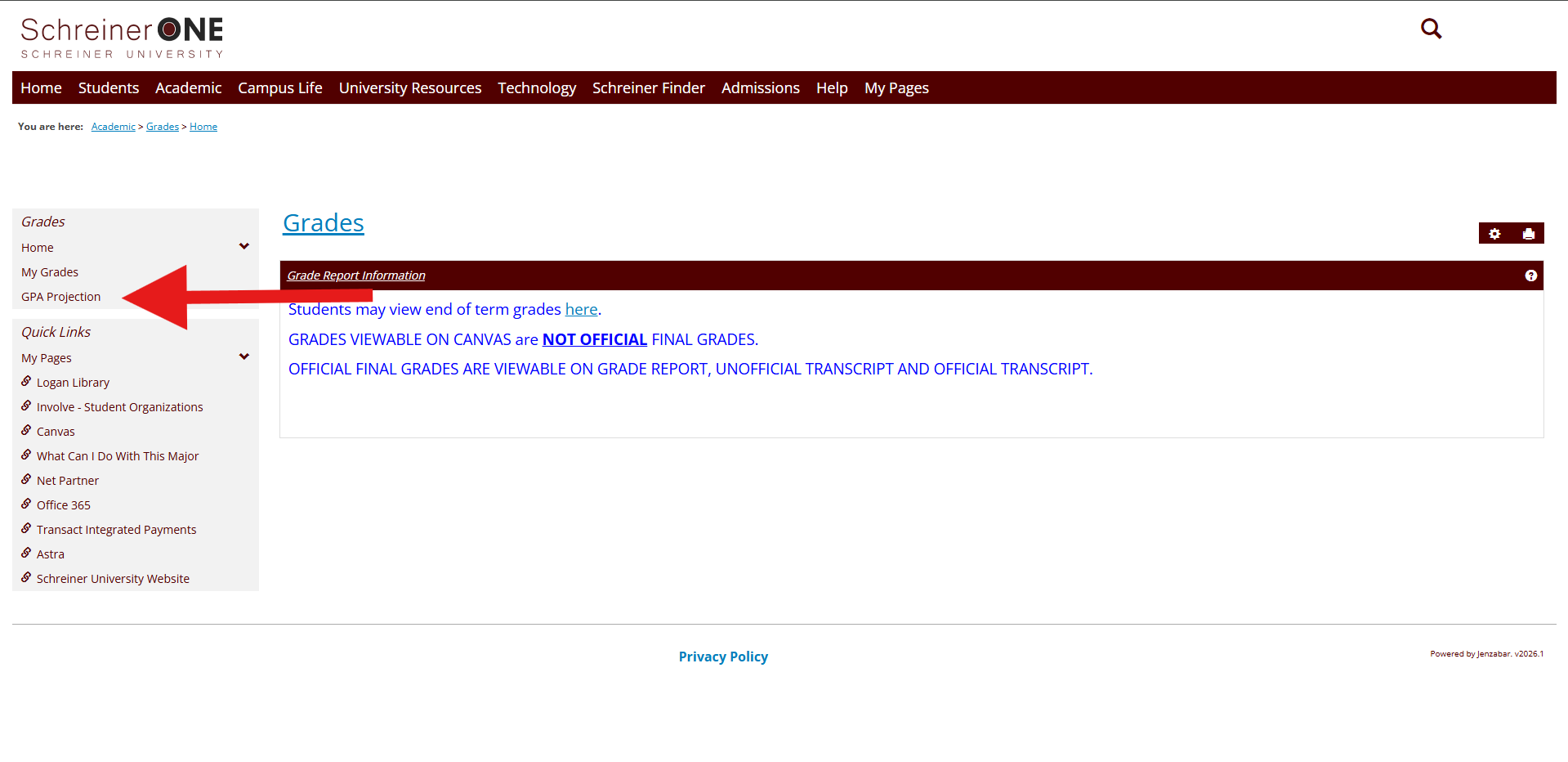
Click on your division, then click on "Go."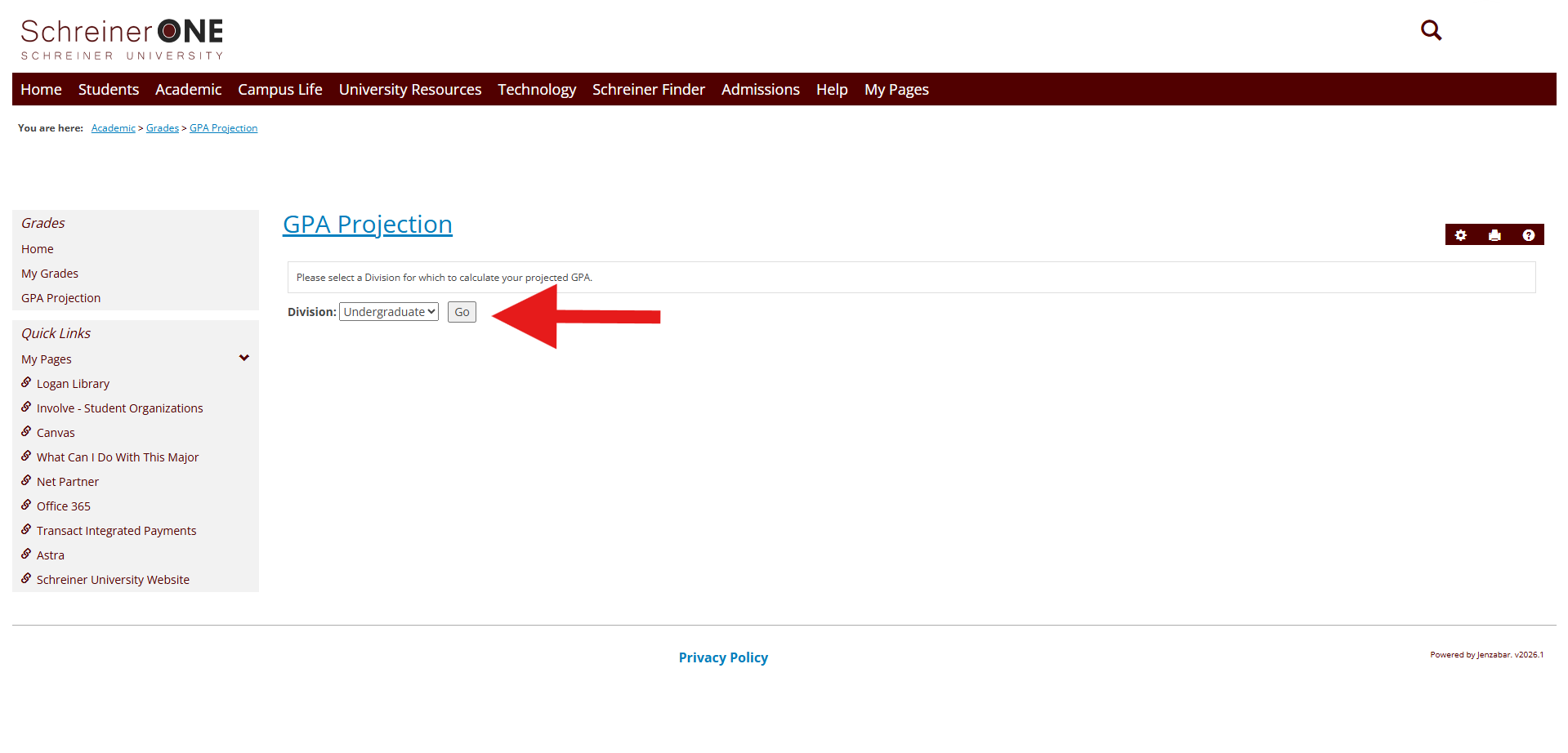
Here you will be able to see your Career GPA, Career Credits, and set your grade for your class in order to see your GPA projection.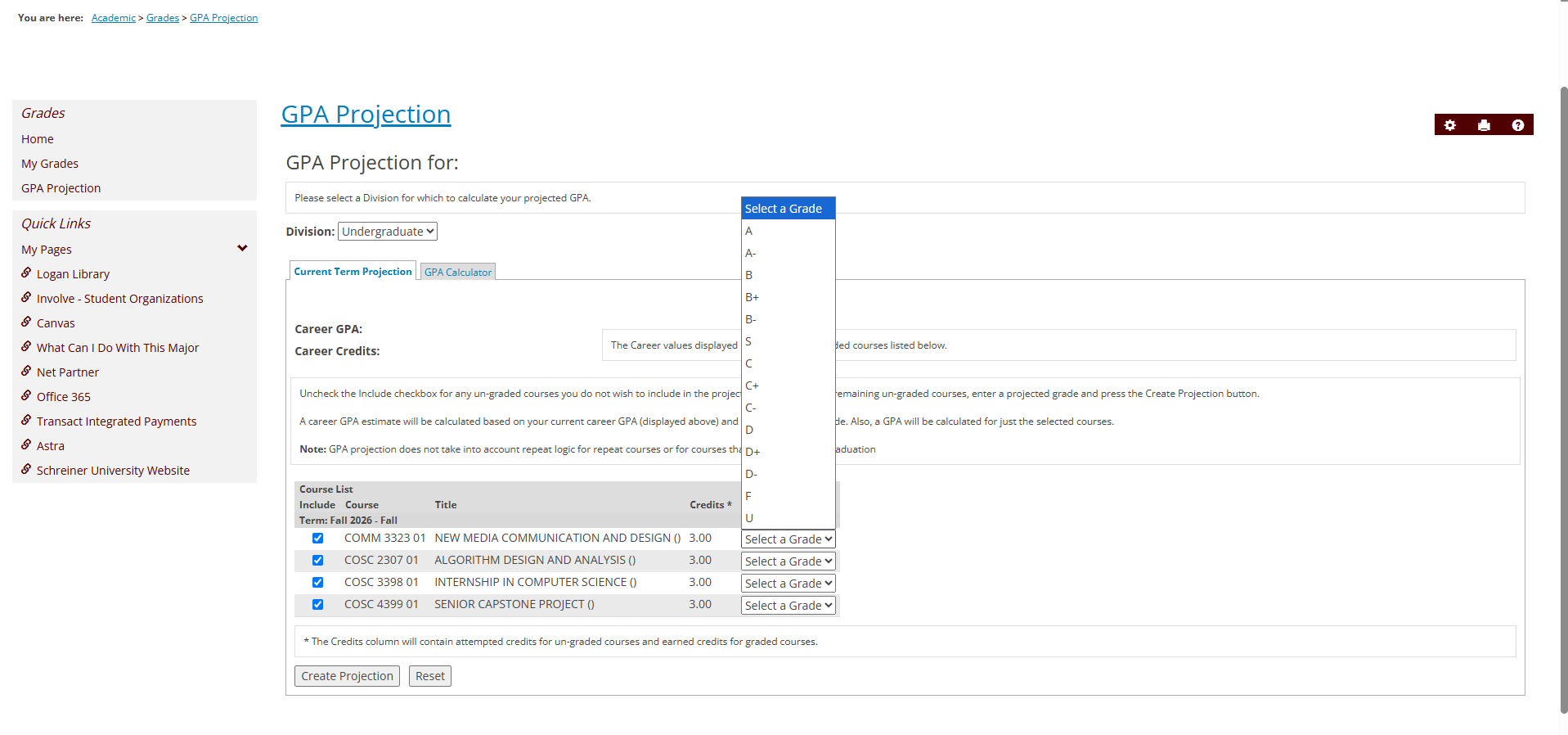
For this example, we went with, B, C+, A and A- for our grade. Once you have entered those grades. Click on "Create Projection." 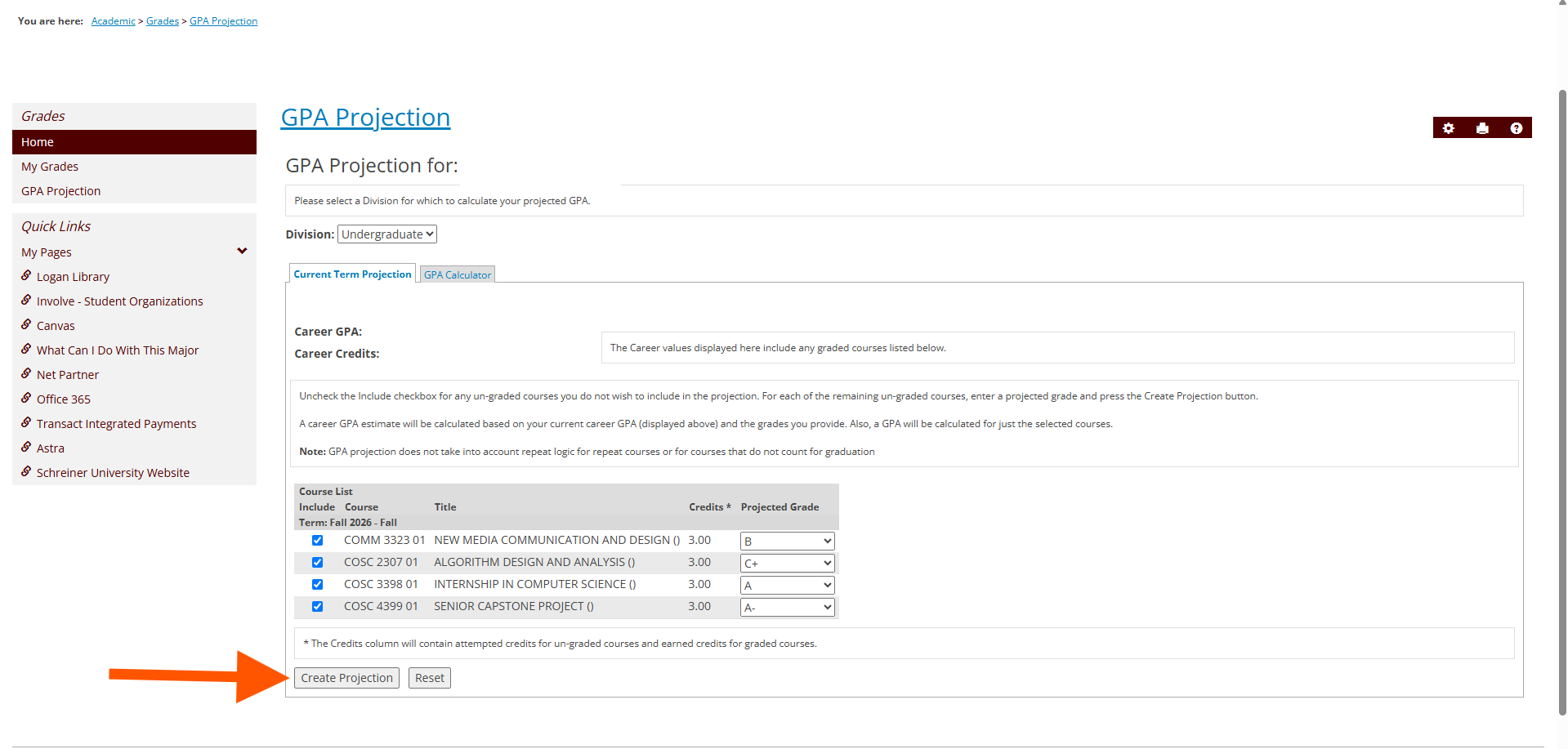
Once it has been created, you will be able to see Earned Credits, GPA Credits, GPA for Selected courses and Career GPA. You can always change around the grades of your classes to see how to get the GPA that you want. 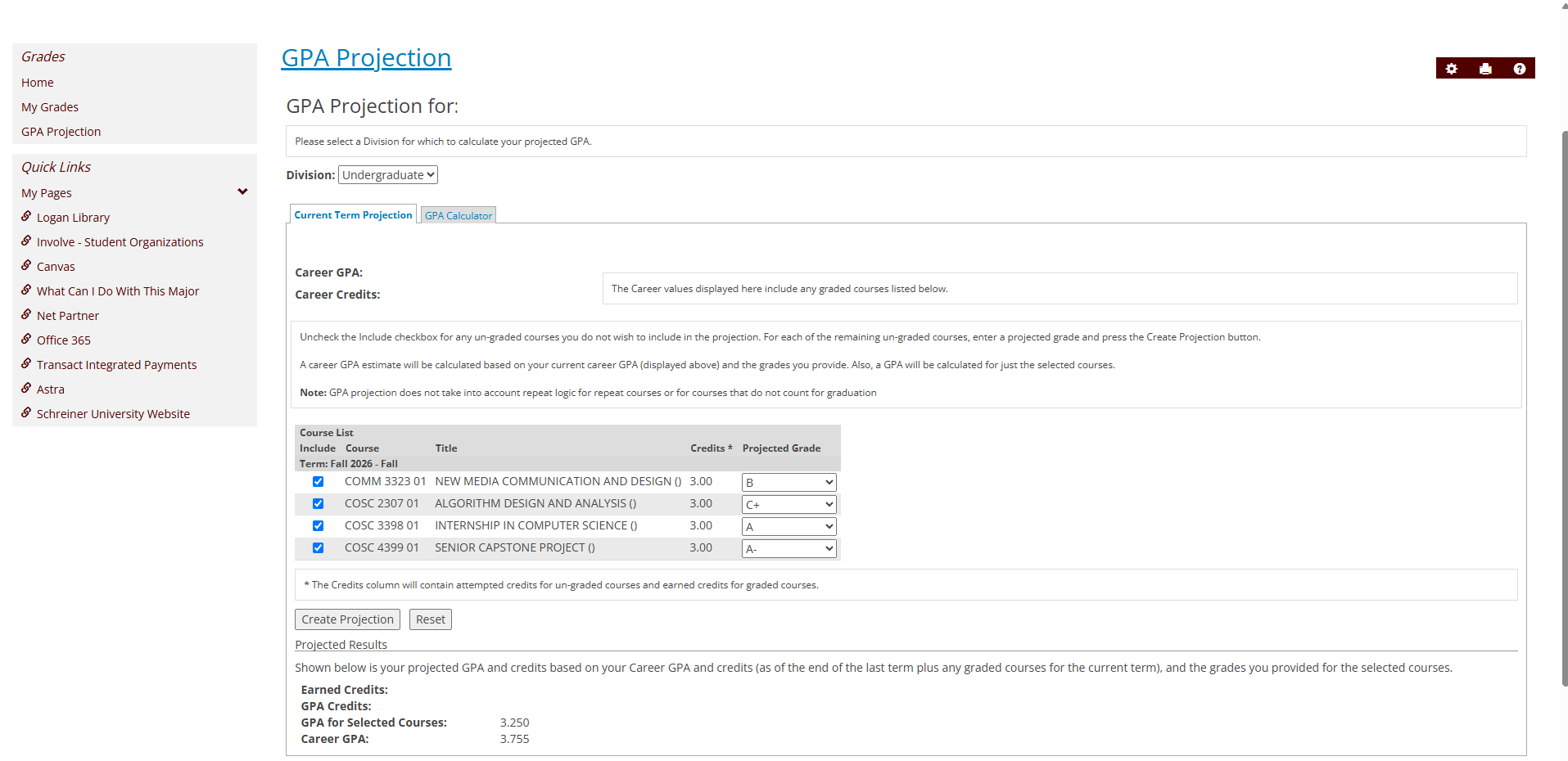
If you have any questions that were not answered in this article, please contact [email protected] for help.

