

(Schreiner One) Where to look for my unofficial transcript?
Last updated: Sep 30, 2026
70
views

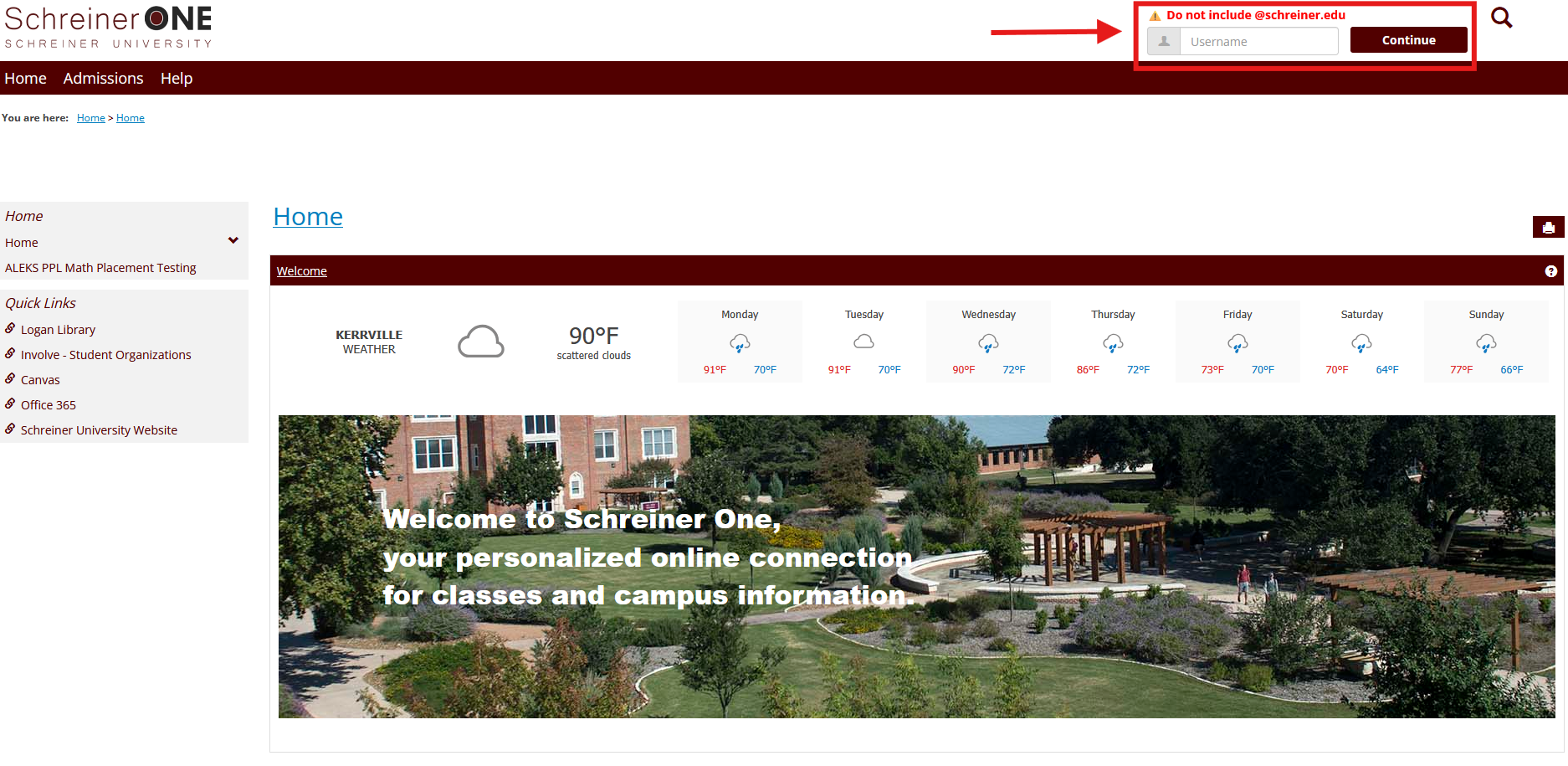
1.) Log in to Schreiner One at the upper right corner.
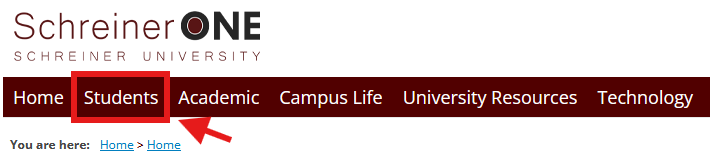
2.) Click on to the "Student" tab at the top of the page.
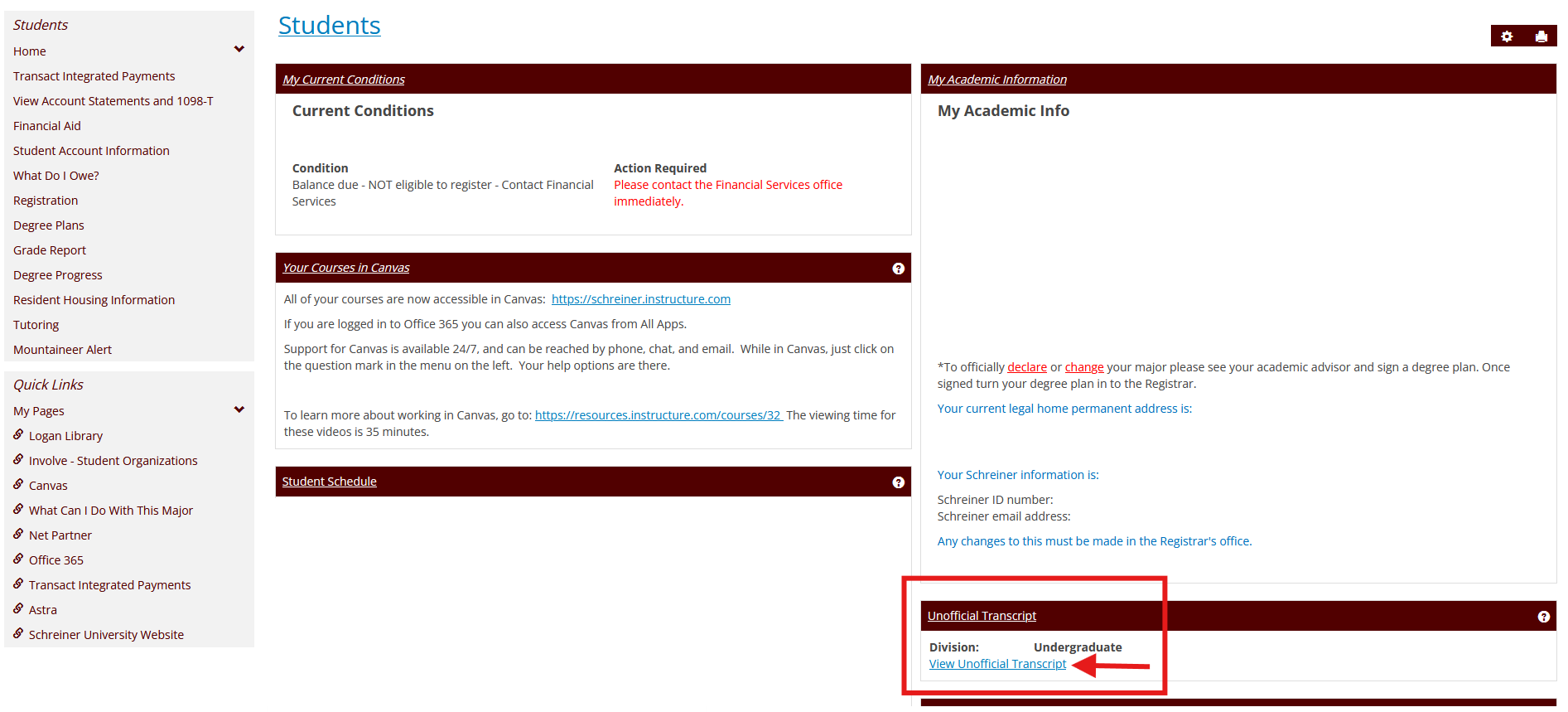
3.) Scroll down until you see on the right side, and find the "Unofficial Transcript" section. Click the "View Unofficial Transcript" link.
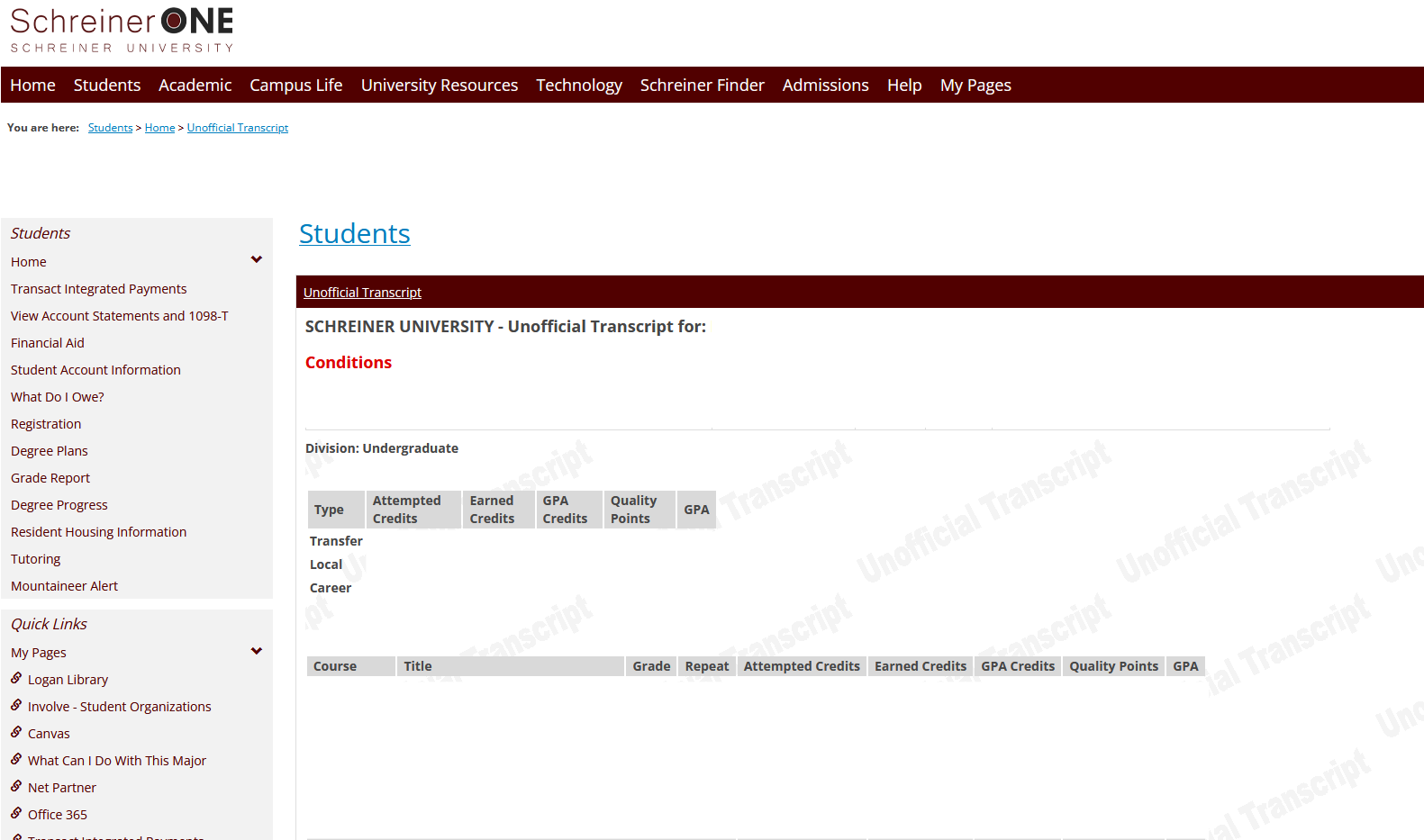
4.) Once you click onto it, you will see the list of your current and your past courses and the total of your GPA. If you want to print the unofficial transcript, you can also click on Print Page (Printer Icon next to a Gear Icon shown on the left side) to print this page as a PDF or to a Printer.
5.) If you have any question or any help, contact [email protected]

