

How to access your Canvas

Sep 21, 2026
32

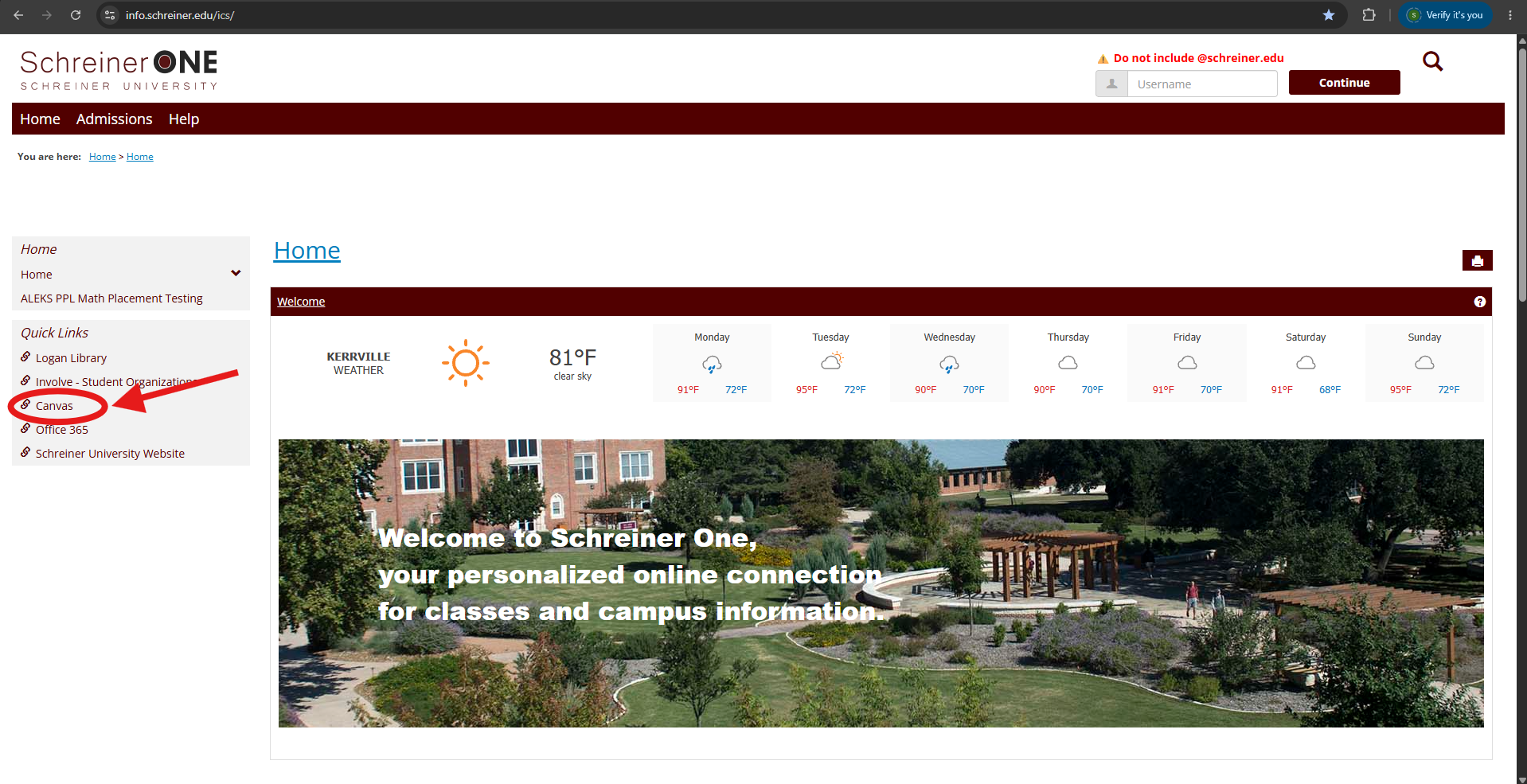
- (Option A) Go to your preferred browser and go to Schreiner One using this link: https://info.schreiner.edu/ics
- (Option B) Go to your preferred browser and go directly to Canvas using this link: https://schreiner.instructure.com.
- (Option B) If you chose to use the direct Canvas link, skip to step 5.
- (Option A) If you chose the Schreiner One link, you should see this page. On the left side, under Quick Links, find and select Canvas.
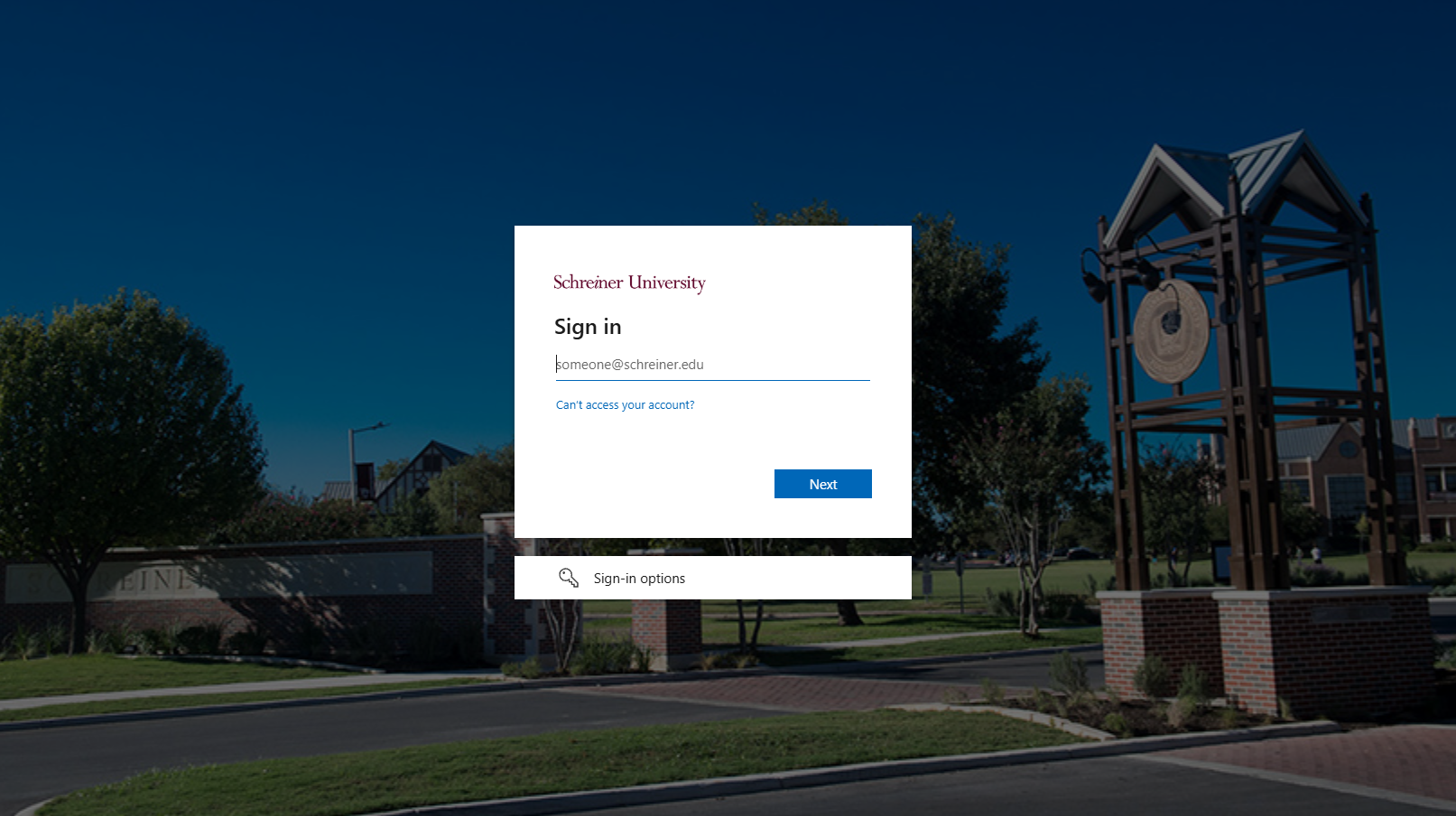
- You will now be prompted to sign in to Canvas using your Schreiner login info. Note! You will not be able to access Canvas until you have paid your deposit and signed up for classes.
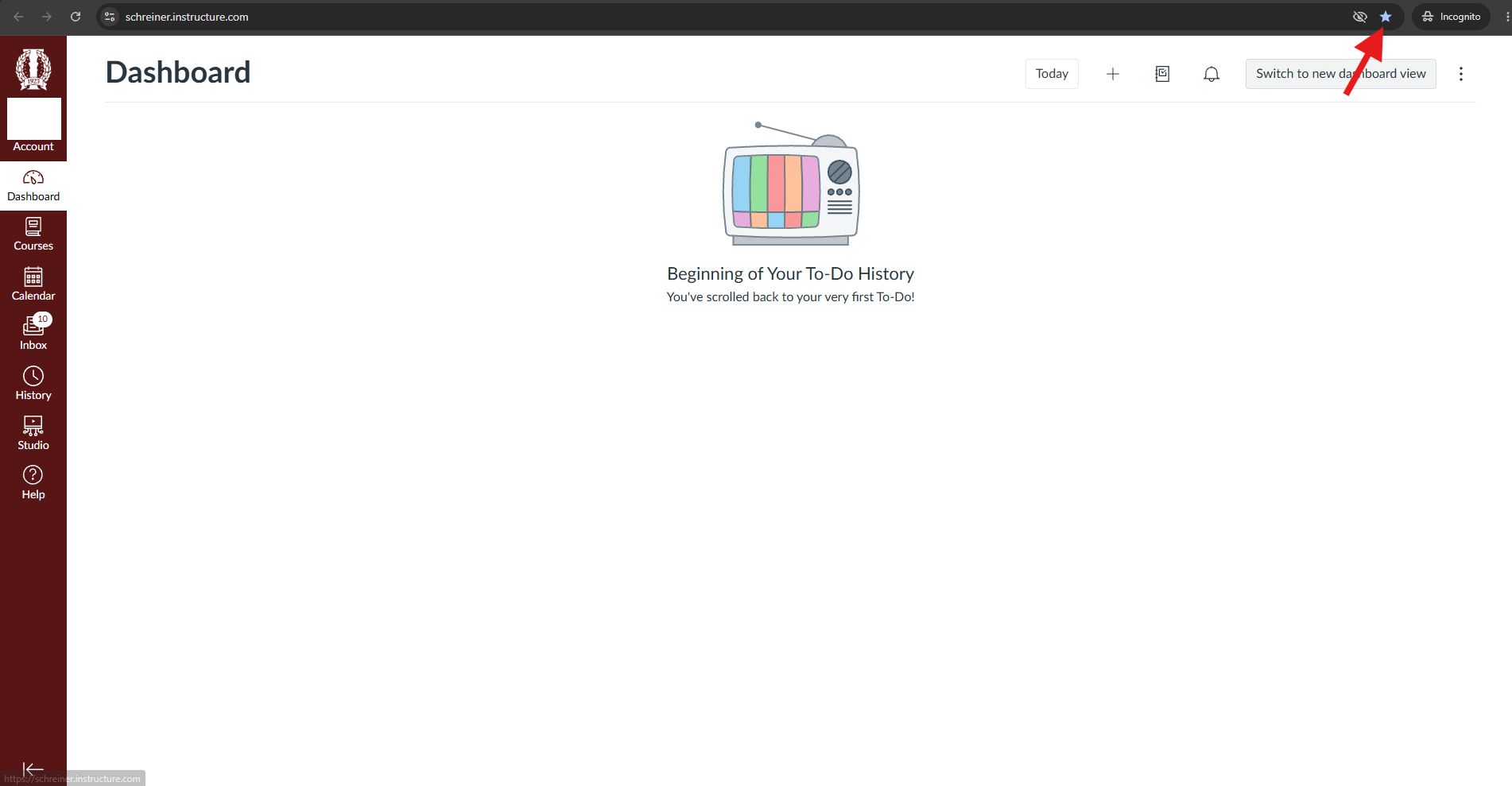
- You have now successfully accessed Canvas. (Helpful Tip) Click the star in the top right of the URL bar to bookmark Canvas for easy access.
- Note: If you have any additional questions or need additional help, please email [email protected].

